
- Posts: 38
- Thank you received: 0
Template not functioning correctly
-
Jan Harmening
Inactive member - Topic Author
- Offline
- Member
-

Less
More
13 years 11 months ago - 13 years 11 months ago #19406
by Jan Harmening
Replied by Jan Harmening on topic Re: Template not functioning correctly
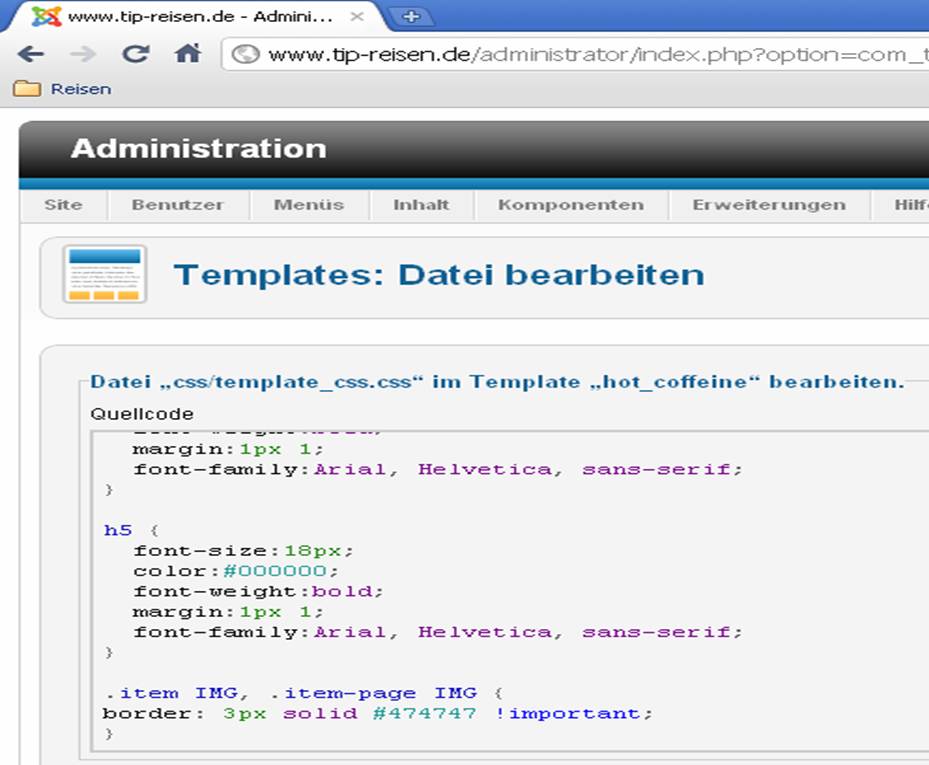
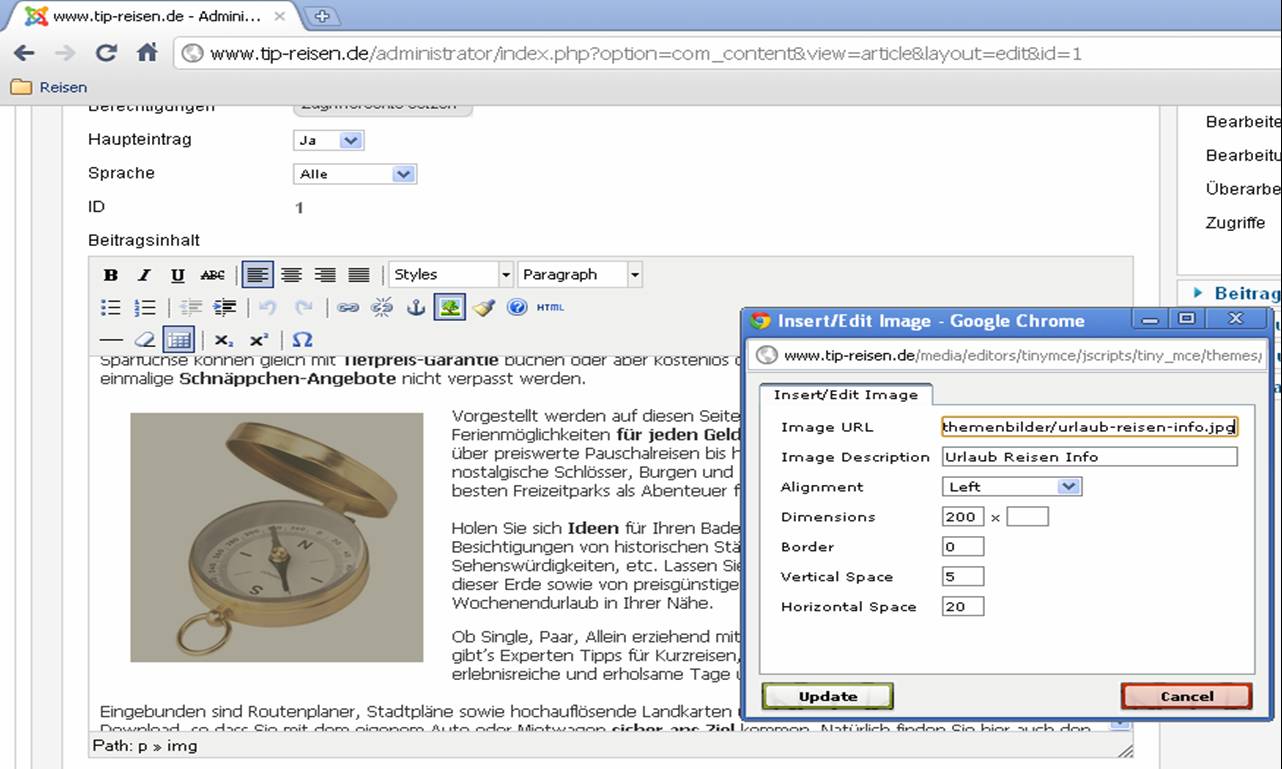
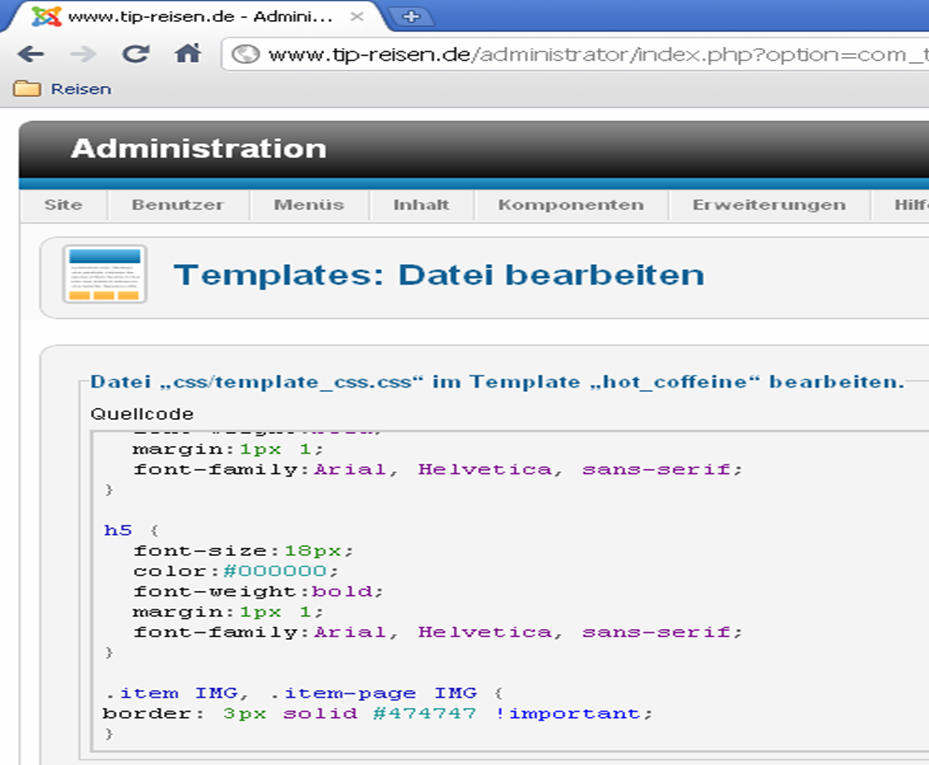
Here you can see my screenshots that you can see I have done according to your instruction. And than see on page
www.tip-reisen.de/
that there is still the border.
Last edit: 13 years 11 months ago by Jan Harmening.
Please Log in to join the conversation.
-
ivan.milic
Support Staff - Offline
- Moderator
-

Less
More
- Posts: 14116
- Thank you received: 1639
13 years 11 months ago #19410
by ivan.milic
Replied by ivan.milic on topic Re: Template not functioning correctly
remove :
.item IMG, .item-page IMG {
border: 3px solid #474747 !important;
}
from bottom of template_css.css
then control border for each image in editor.
.item IMG, .item-page IMG {
border: 3px solid #474747 !important;
}
from bottom of template_css.css
then control border for each image in editor.
Please Log in to join the conversation.
-
Jan Harmening
Inactive member - Topic Author
- Offline
- Member
-
Less
More
- Posts: 38
- Thank you received: 0
13 years 11 months ago #19411
by Jan Harmening
Replied by Jan Harmening on topic Re: Template not functioning correctly
than the border is allways black. I would like to have a gray border. This I have said already in the beginning. So, we are turning in a circle.
Please Log in to join the conversation.
-
ivan.milic
Support Staff - Offline
- Moderator
-
Less
More
- Posts: 14116
- Thank you received: 1639
13 years 11 months ago #19416
by ivan.milic
Replied by ivan.milic on topic Re: Template not functioning correctly
because your editor uses border="X" attribute for <IMG... tag which is deprecated. Find better editor component for joomla or you can edit HTML to add definition of border in style attribute like this:
<IMG style="border:1px solid gray;" ...
currently your editor does this:
<IMG border="X" <- this is bad
<IMG style="border:1px solid gray;" ...
currently your editor does this:
<IMG border="X" <- this is bad
Please Log in to join the conversation.
Time to create page: 0.143 seconds