
- Posts: 14116
- Thank you received: 1639
right-to-left Layout of products in category page
-
ivan.milic
Support Staff - Offline
- Moderator
-

Less
More
11 years 9 months ago #40723
by ivan.milic
Replied by ivan.milic on topic right-to-left Layout of products in category page
Can you post some draft over snapshot to illustrate what are you trying to achieve?
Please Log in to join the conversation.

11 years 9 months ago #40748
by Effect
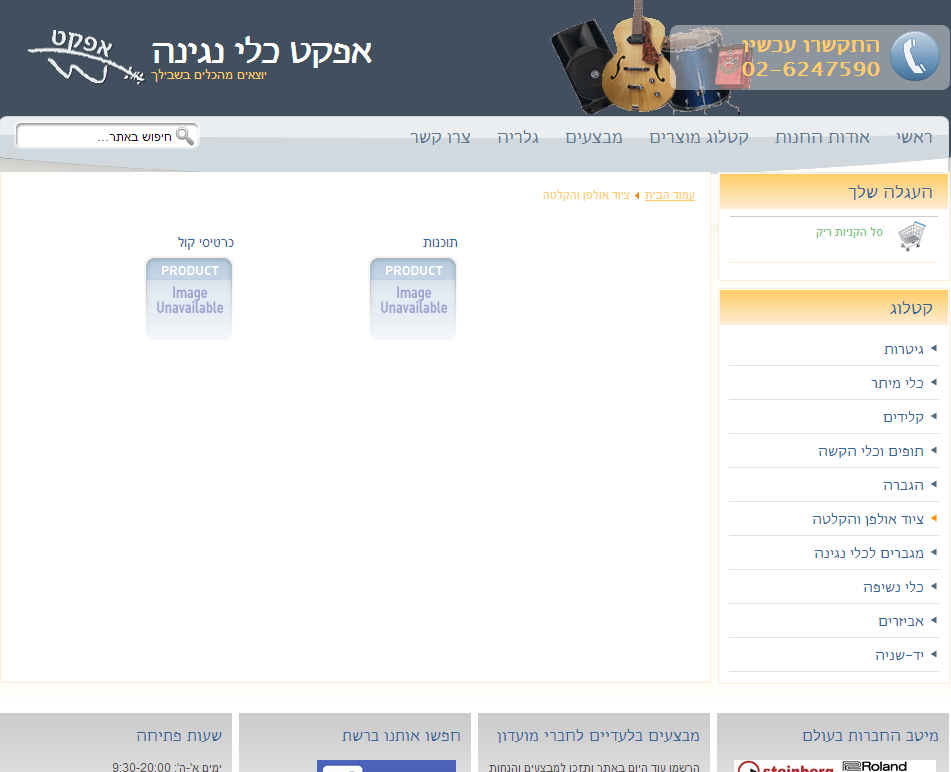
In screenshot1 you see a category page, with 2 sub-categories listed. They are aligned to the left: The first category (by alphabet) is the leftmost category, and the second category is at the middle.
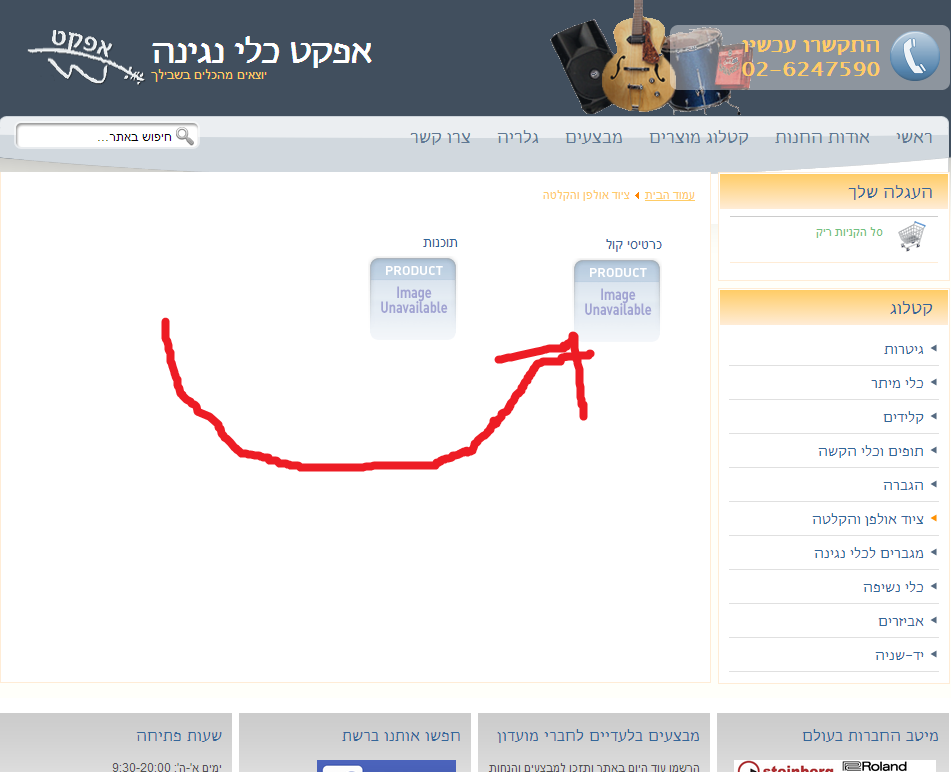
Screenshot2 is the way I want the site to be. The first category is the rightmost category, and all categories are aligned to the right, the way the products are (after I changed the code) - a right-aligned product page is shown at screenshot3.
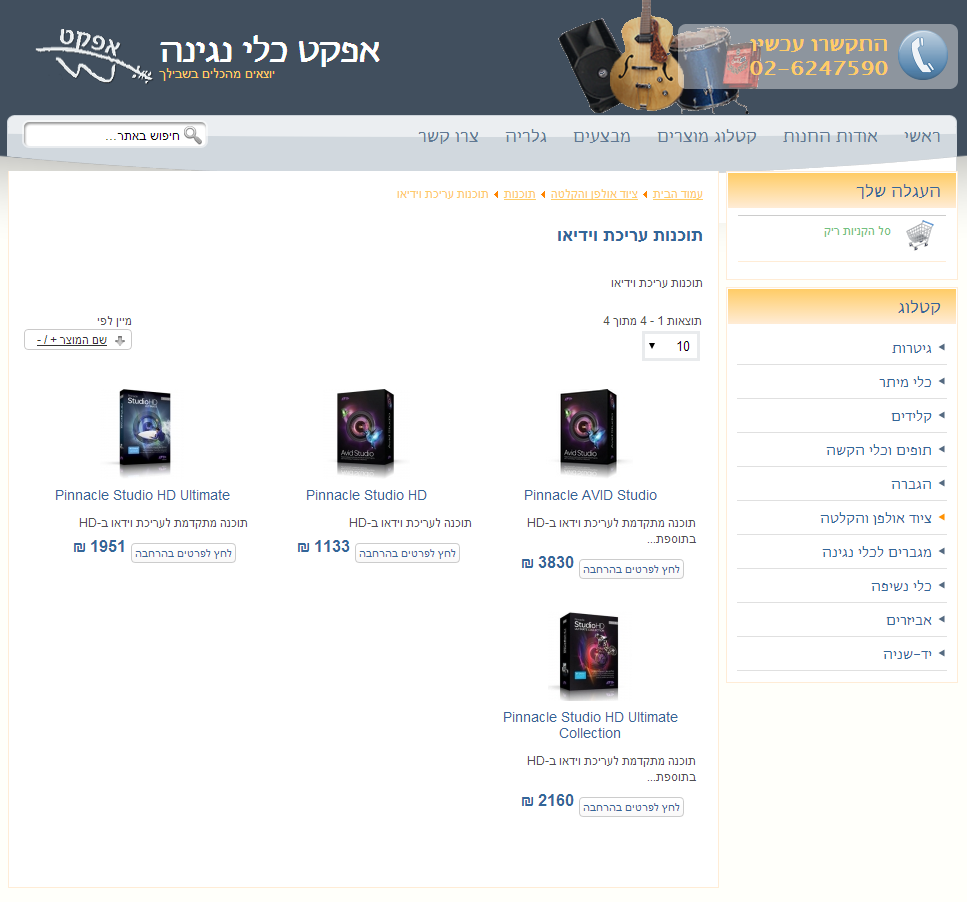
Replied by Effect on topic right-to-left Layout of products in category page
In screenshot1 you see a category page, with 2 sub-categories listed. They are aligned to the left: The first category (by alphabet) is the leftmost category, and the second category is at the middle.
Screenshot2 is the way I want the site to be. The first category is the rightmost category, and all categories are aligned to the right, the way the products are (after I changed the code) - a right-aligned product page is shown at screenshot3.
Please Log in to join the conversation.
11 years 9 months ago #40749
by Effect
Replied by Effect on topic right-to-left Layout of products in category page
Clarification: the 3rd screenshot shows products, not categories. They are aligned correctly to the right.
Please Log in to join the conversation.
-
ivan.milic
Support Staff - Offline
- Moderator
-
Less
More
- Posts: 14116
- Thank you received: 1639
11 years 9 months ago #40756
by ivan.milic
Replied by ivan.milic on topic right-to-left Layout of products in category page
place this at bottom of temlate_css.css:
.output-billto span.values, .output-shipto span.values, .floatleft, span.floatleft {
float: right!important;
}
.category-view .row .category .spacer h2 a {
text-align: right!important;
}
.output-billto span.values, .output-shipto span.values, .floatleft, span.floatleft {
float: right!important;
}
.category-view .row .category .spacer h2 a {
text-align: right!important;
}
Please Log in to join the conversation.
Time to create page: 0.088 seconds