
- Posts: 30
- Thank you received: 0
Define the shown part of the Menu-Images
-
stefanm112
Inactive member - Topic Author
- Offline
- Member
-

Less
More
14 years 3 weeks ago - 14 years 3 weeks ago #18151
by stefanm112
Define the shown part of the Menu-Images was created by stefanm112
Hi
can i define the shown part of the Menu-Images?
at the time it shows the bottom of my pictures... but i want see the middle
sorry for my bad english
thanks
Stefan
EDIT
i wanna show the text "Tantras e.V. - Haus 177" of this picture in the interior page
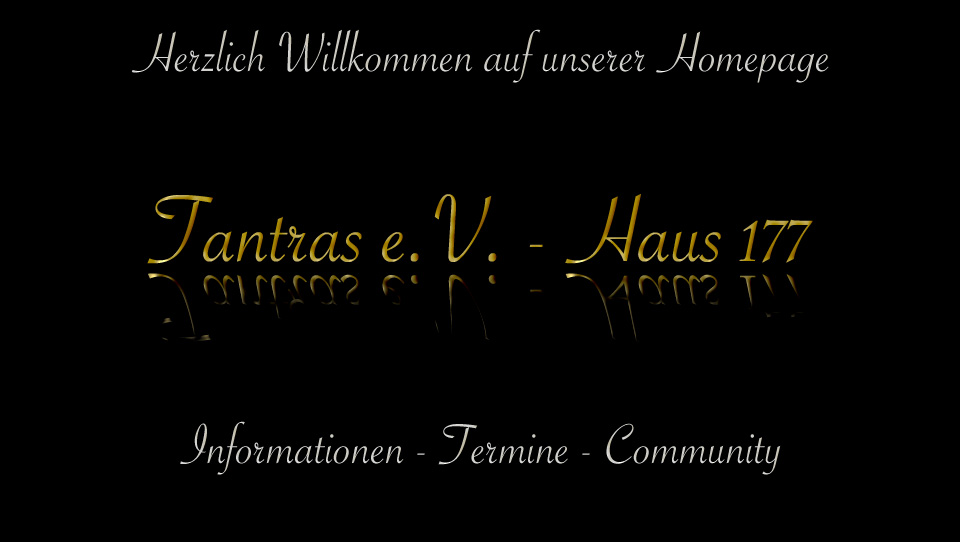
can i define the shown part of the Menu-Images?
at the time it shows the bottom of my pictures... but i want see the middle
sorry for my bad english
thanks
Stefan
EDIT
i wanna show the text "Tantras e.V. - Haus 177" of this picture in the interior page
Last edit: 14 years 3 weeks ago by stefanm112.
Please Log in to join the conversation.
-
ivan.milic
Support Staff - Offline
- Moderator
-

Less
More
- Posts: 14116
- Thank you received: 1639
14 years 3 weeks ago #18162
by ivan.milic
Replied by ivan.milic on topic Re: Define the shown part of the Menu-Images
you must optimize images, because module uses background-position:0 0; and that can not be changed.
Please Log in to join the conversation.
-
stefanm112
Inactive member - Topic Author
- Offline
- Member
-
Less
More
- Posts: 30
- Thank you received: 0
14 years 3 weeks ago #18166
by stefanm112
shi...
but it would be a... a... a... suggestion for improvement (?) for the next versions of this template...
Replied by stefanm112 on topic Re: Define the shown part of the Menu-Images
ivan.milic wrote: you must optimize images, because module uses background-position:0 0; and that can not be changed.
shi...
but it would be a... a... a... suggestion for improvement (?) for the next versions of this template...
Please Log in to join the conversation.
-
ivan.milic
Support Staff - Offline
- Moderator
-
Less
More
- Posts: 14116
- Thank you received: 1639
14 years 3 weeks ago #18186
by ivan.milic
Replied by ivan.milic on topic Re: Define the shown part of the Menu-Images
well I dough, because you would have to have that option for each image, and that could complicate module/template settings. I think cropping images is not time demanding and complicated thing to do.
Please Log in to join the conversation.
Time to create page: 0.185 seconds