

- Posts: 163
- Thank you received: 1
how to get content and right modules to same heigh
12 years 2 months ago #38160
by maryswave
Replied by maryswave on topic how to get content and right modules to same heigh
I had already used the # because I do know that is what is in front of a color:
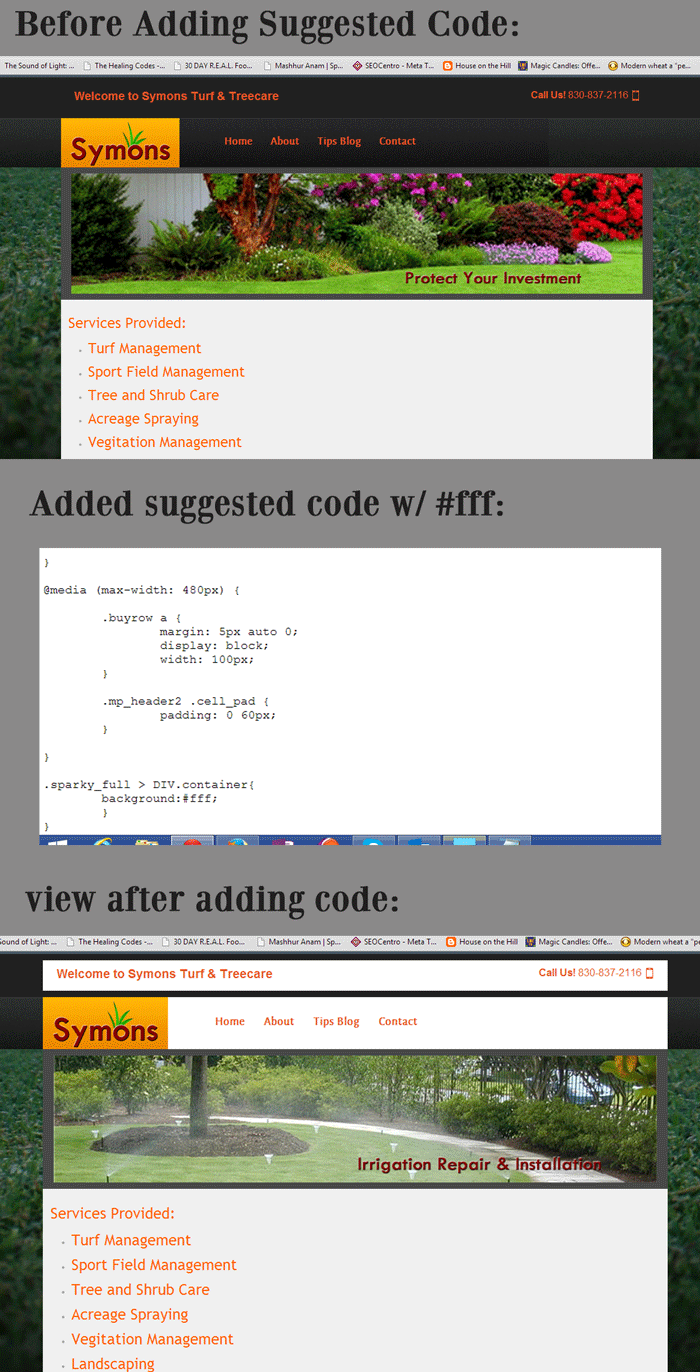
I have attached a picture of the result using that code.
I have attached a picture of the result using that code.
Please Log in to join the conversation.
12 years 2 months ago #38161
by maryswave
Replied by maryswave on topic how to get content and right modules to same heigh
the back ground color of the right module area is correct when a module is active. it is the height that I want to match to the content area. if the height of the right module area simply matched the height of the content area then no additional background color is needed.
Please Log in to join the conversation.
12 years 2 months ago #38163
by maryswave
Replied by maryswave on topic how to get content and right modules to same heigh
never mind, I figured out something.
added .contentrow to the back of sparky,
created an image the color and width I wanted and added the following to template_css.css
.contentrow {
background: url("/templates/symons/images/content_bg.jpg") repeat-y;
background-position: center;
}
works great, check it out. www.symonsturfandtreecare.com/blog.html
added .contentrow to the back of sparky,
created an image the color and width I wanted and added the following to template_css.css
.contentrow {
background: url("/templates/symons/images/content_bg.jpg") repeat-y;
background-position: center;
}
works great, check it out. www.symonsturfandtreecare.com/blog.html
Please Log in to join the conversation.
Time to create page: 0.101 seconds