
- Posts: 70
- Thank you received: 0
carousel text colour
-
mark2kooki
Inactive member - Topic Author
- Offline
- Member
-

Less
More
13 years 4 months ago #25208
by mark2kooki
carousel text colour was created by mark2kooki
been trying to change the colour of the carousel - have added a text-shadow which works fine in most browsers but not IE - so need to changre the colour slightly but cant get it to work - can alter size, align weight etc but not colour
.contents h2 a {
text-align: left;
color: #ffff66;
font-family: 'SansationBold', Verdana, Geneva, sans-serif;
font-weight: bold;
font-size: 50px;
text-shadow: 4px 4px 4px #000000;
}
have tried .hotcarousel etc from what other posters have put but that did not work
.contents h2 a {
text-align: left;
color: #ffff66;
font-family: 'SansationBold', Verdana, Geneva, sans-serif;
font-weight: bold;
font-size: 50px;
text-shadow: 4px 4px 4px #000000;
}
have tried .hotcarousel etc from what other posters have put but that did not work
Please Log in to join the conversation.
-
mark2kooki
Inactive member - Topic Author
- Offline
- Member
-
Less
More
- Posts: 70
- Thank you received: 0
13 years 4 months ago #25213
by mark2kooki
Replied by mark2kooki on topic carousel text colour
while i have been trying to do this my menu styling has disappeared
see screenshot
i replaced the template.css.css with the original file but still no styling
any thoughts
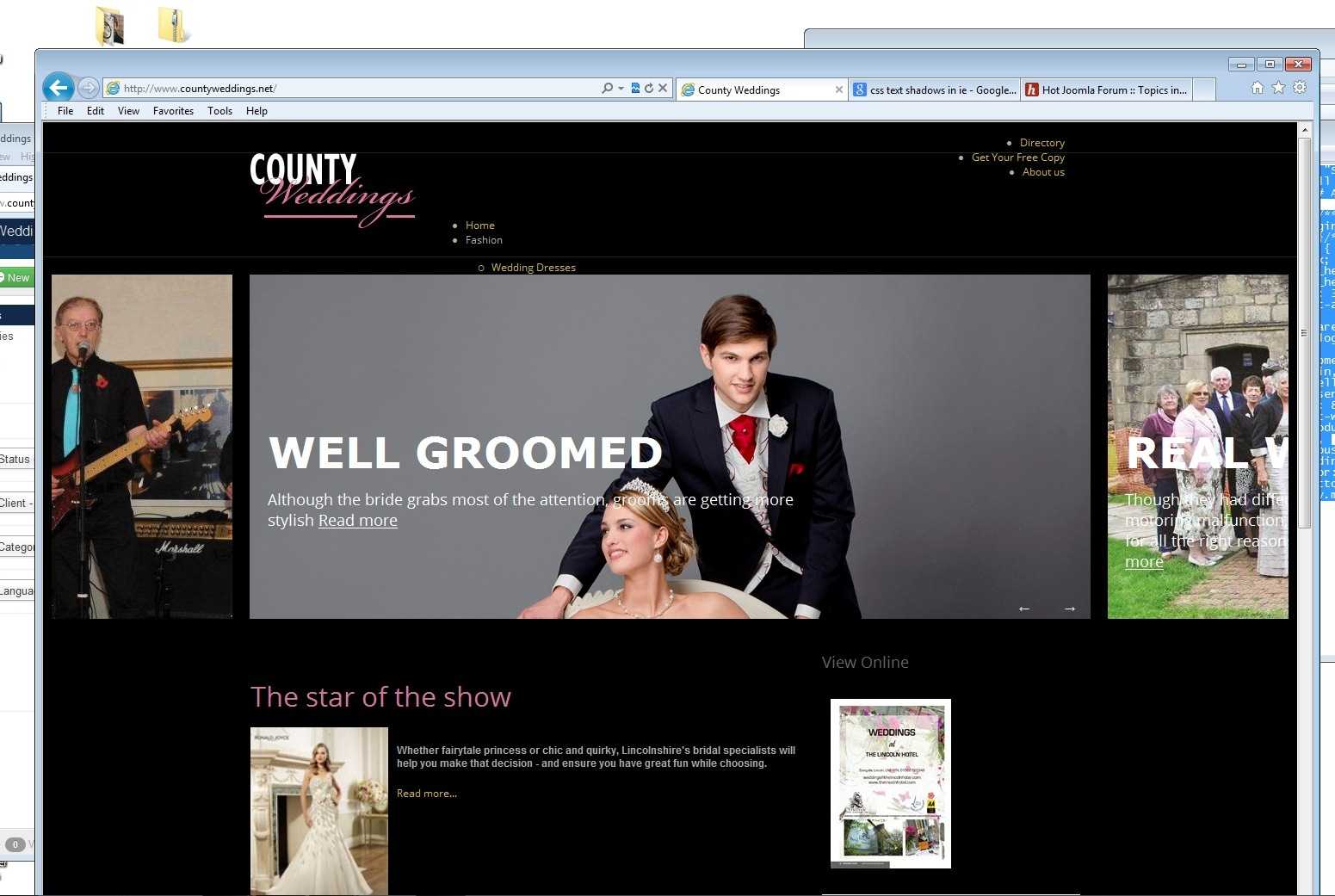
see screenshot
i replaced the template.css.css with the original file but still no styling
any thoughts
Please Log in to join the conversation.
-
ivan.milic
Support Staff - Offline
- Moderator
-

Less
More
- Posts: 14116
- Thank you received: 1639
13 years 4 months ago #25232
by ivan.milic
Replied by ivan.milic on topic carousel text colour
USE
.mp_advert1 .carousel-article h2 a{
color: #ffff66!important;
}
also set Menu Tag ID = nav in top menu module settings
.mp_advert1 .carousel-article h2 a{
color: #ffff66!important;
}
also set Menu Tag ID = nav in top menu module settings
Please Log in to join the conversation.
-
mark2kooki
Inactive member - Topic Author
- Offline
- Member
-
Less
More
- Posts: 70
- Thank you received: 0
13 years 4 months ago #25266
by mark2kooki
Replied by mark2kooki on topic carousel text colour
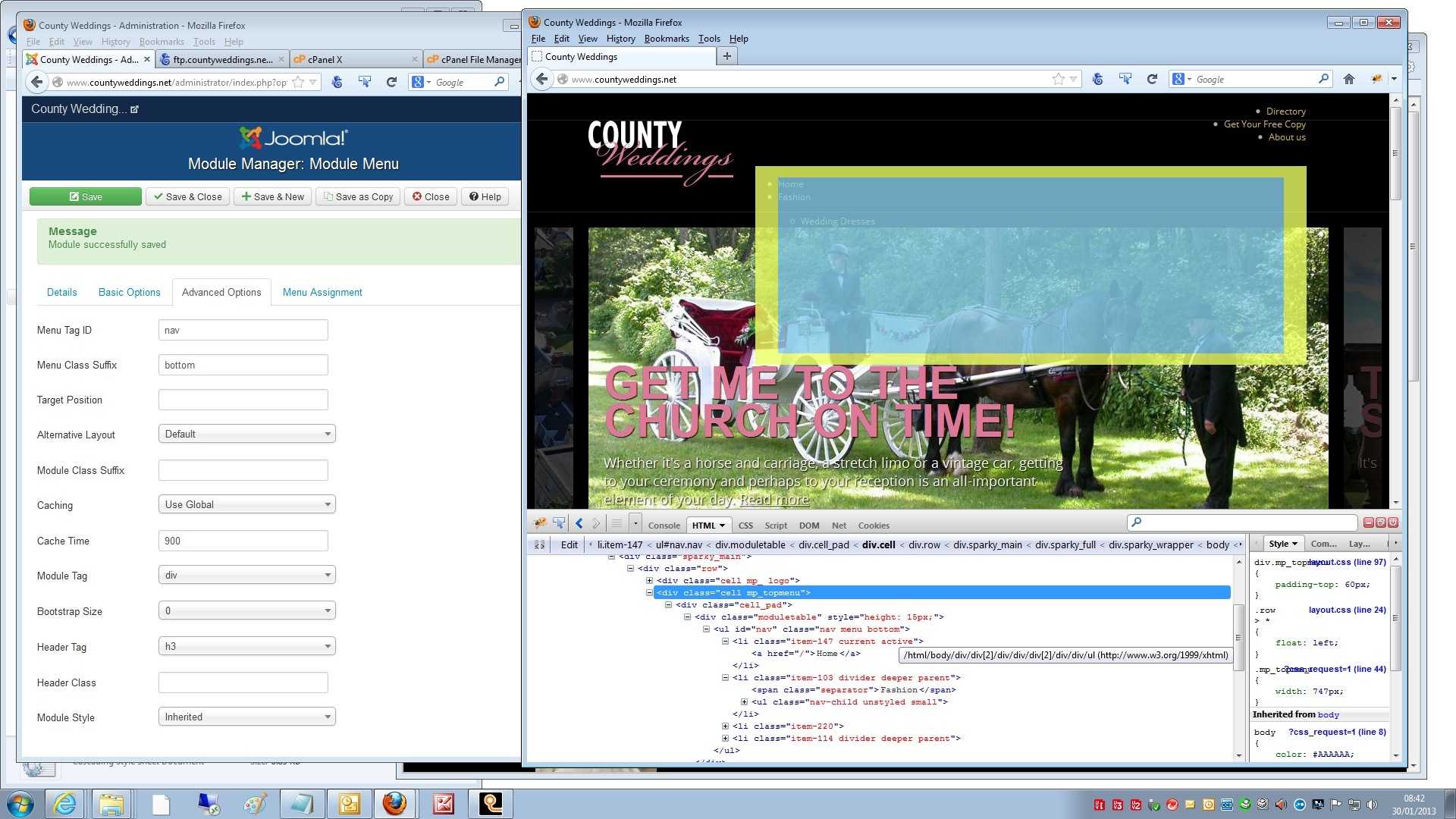
as you can see the carousel worked but the menu didnt
screen shot shows i have change menu ID to nav and used inspect element so you can see that it is reading the nav
screen shot shows i have change menu ID to nav and used inspect element so you can see that it is reading the nav
Please Log in to join the conversation.
-
ivan.milic
Support Staff - Offline
- Moderator
-
Less
More
- Posts: 14116
- Thank you received: 1639
13 years 3 months ago #25282
by ivan.milic
Replied by ivan.milic on topic carousel text colour
Yes, go to template settings and under menu settings set drop-down menu for that menu.
Please Log in to join the conversation.
-
mark2kooki
Inactive member - Topic Author
- Offline
- Member
-
Less
More
- Posts: 70
- Thank you received: 0
13 years 3 months ago #25301
by mark2kooki
Replied by mark2kooki on topic carousel text colour
sorry that has not worked
i dont know what has happened
not changed that much
altered logo.php - add my logo
changed the default-items.php because of the COM_unpublished errors in weblinks
changed the templaqte.css.css to add colour to carousel titles and make blog category pics a set size
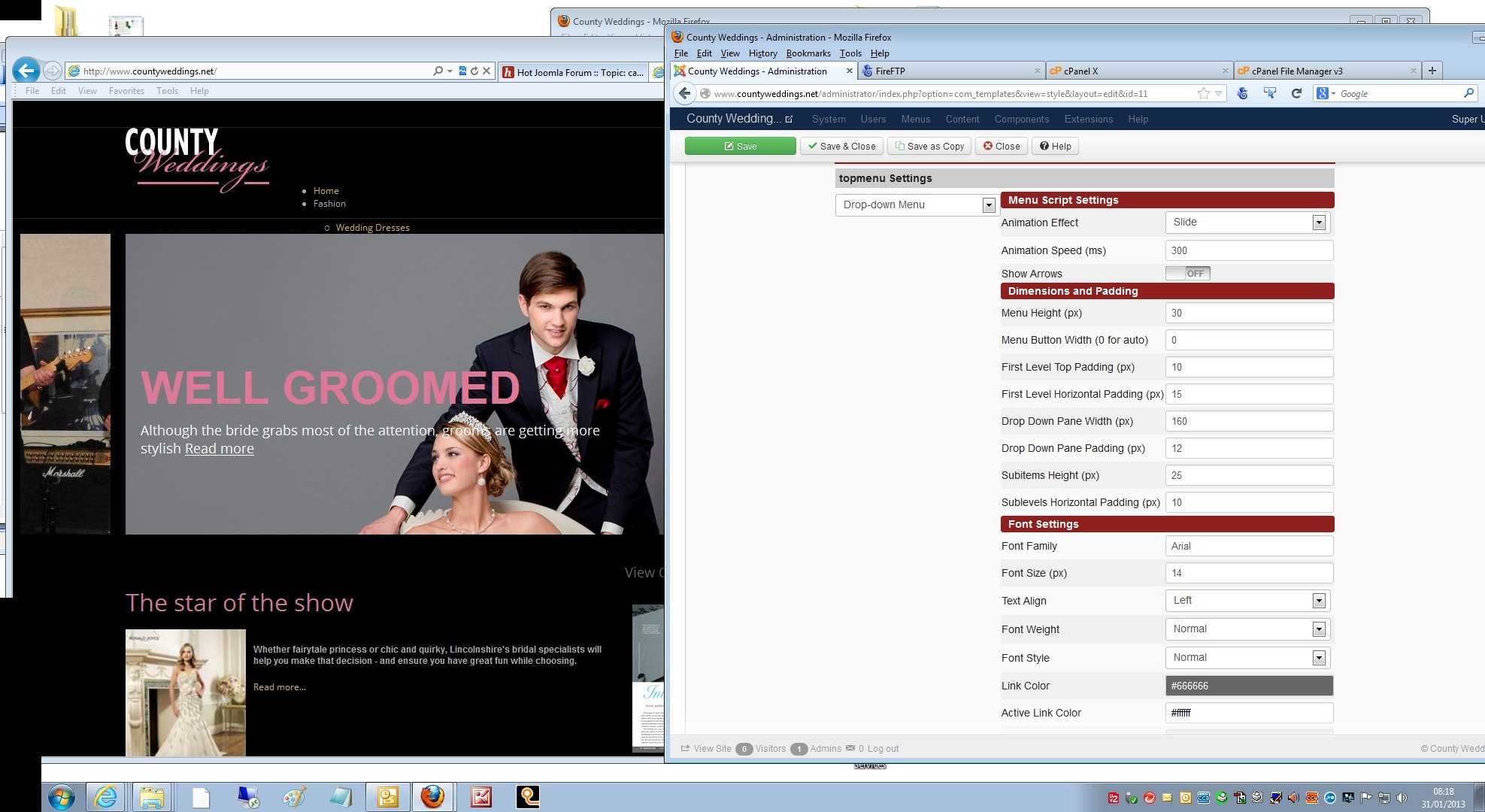
apart from that i have not changed anything - i have not actually touched this part of the settings until now - it already said drop-down - i have changed it and changed it back
i dont know what has happened
not changed that much
altered logo.php - add my logo
changed the default-items.php because of the COM_unpublished errors in weblinks
changed the templaqte.css.css to add colour to carousel titles and make blog category pics a set size
apart from that i have not changed anything - i have not actually touched this part of the settings until now - it already said drop-down - i have changed it and changed it back
Please Log in to join the conversation.
Time to create page: 0.166 seconds