

- Posts: 3
- Thank you received: 0
Virtuemart Order Confirmation / broken layout
12 years 8 months ago - 12 years 8 months ago #33377
by palfyz
Virtuemart Order Confirmation / broken layout was created by palfyz
Hi!
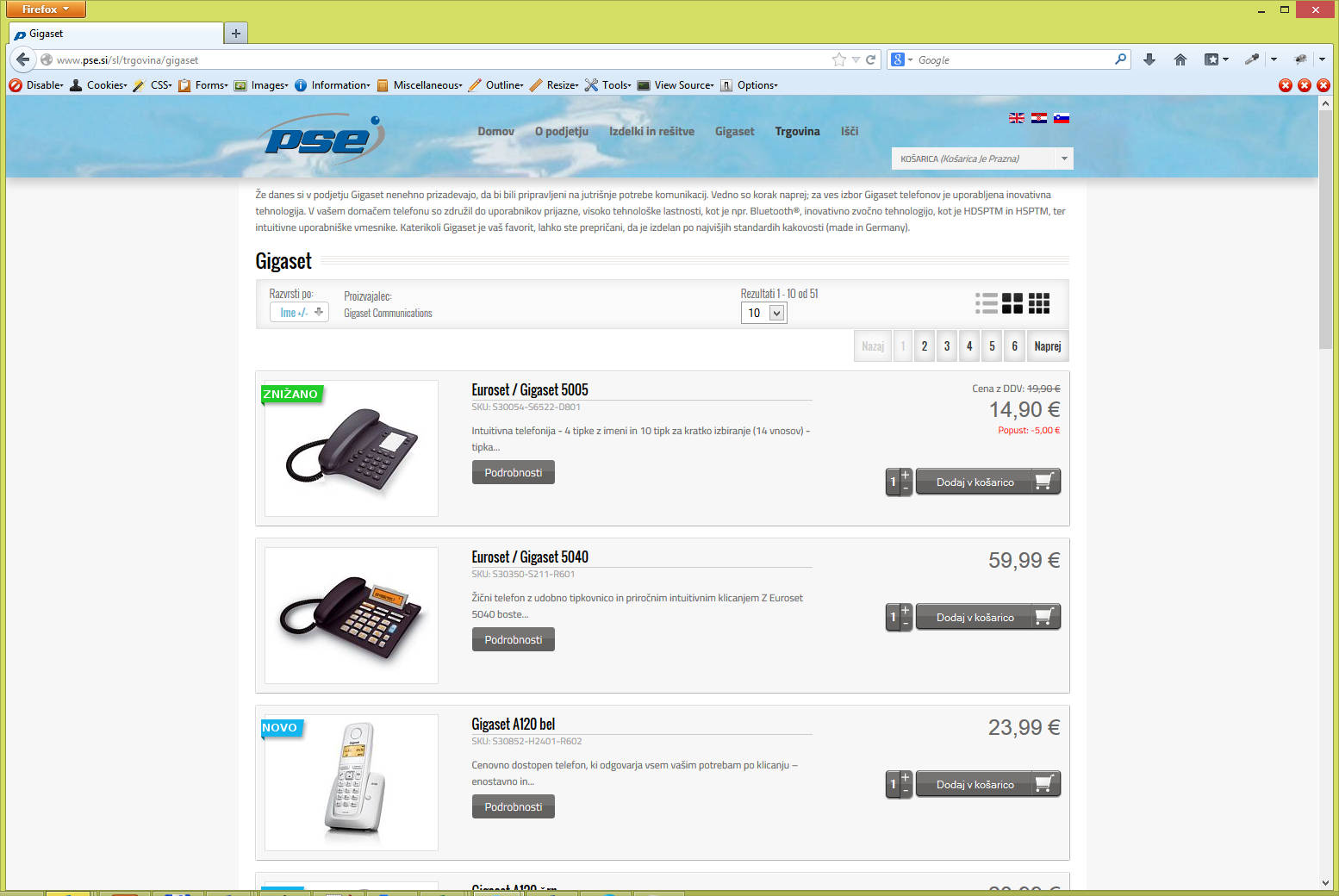
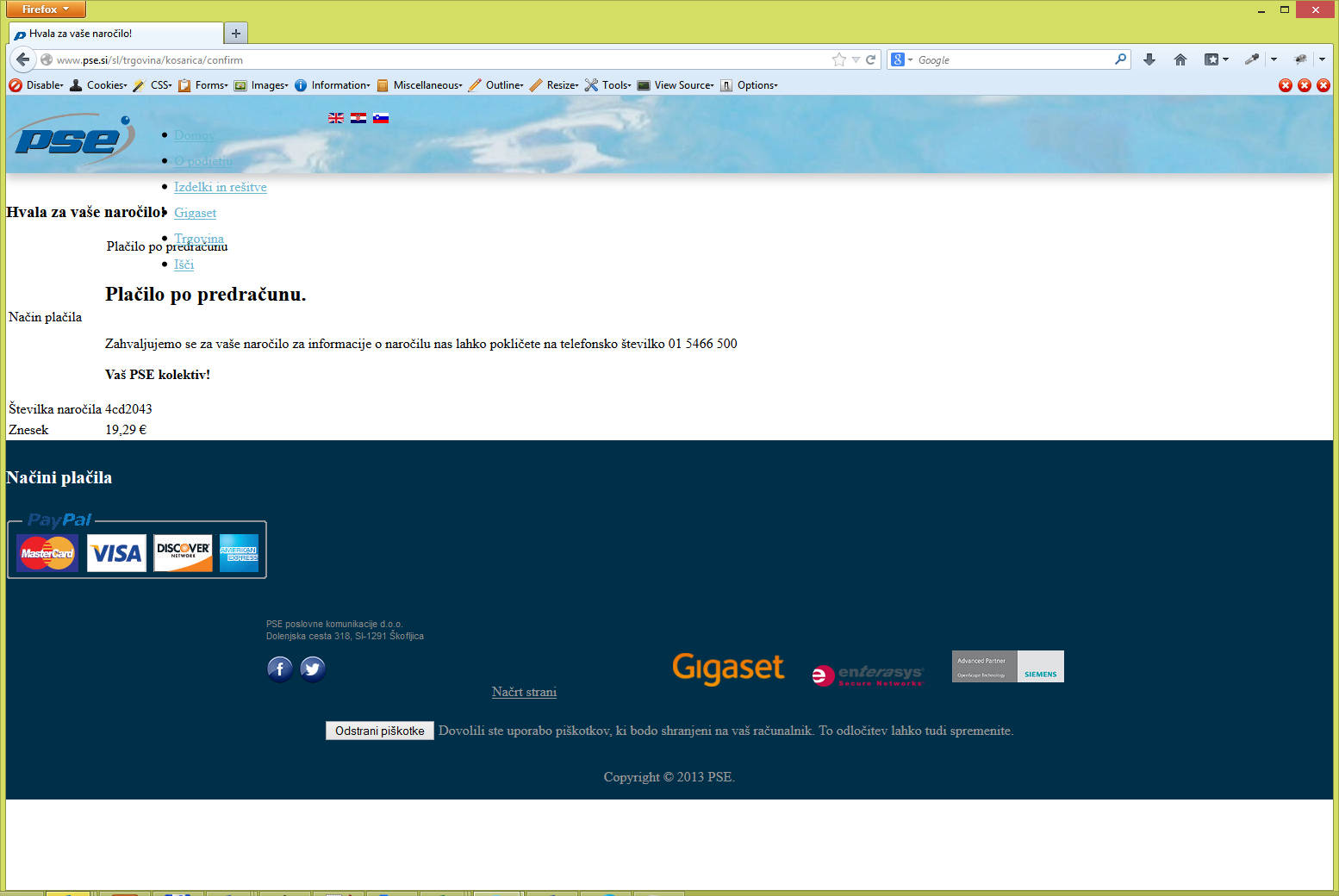
I have used explorer template together with Virtuemart. Product category looks OK but when order is placed layout is broken. You will find two screenshots attached to this message.
BR,
Zeljko
I have used explorer template together with Virtuemart. Product category looks OK but when order is placed layout is broken. You will find two screenshots attached to this message.
BR,
Zeljko
Last edit: 12 years 8 months ago by palfyz.
Please Log in to join the conversation.
-
ivan.milic
Support Staff - Offline
- Moderator
-

Less
More
- Posts: 14116
- Thank you received: 1639
12 years 8 months ago #33382
by ivan.milic
Replied by ivan.milic on topic Virtuemart Order Confirmation / broken layout
Yes ok , but we don't ship that vm with that template so its up to you to adopt vm properly
Please Log in to join the conversation.
12 years 8 months ago #33390
by palfyz
Replied by palfyz on topic Virtuemart Order Confirmation / broken layout
Hi!
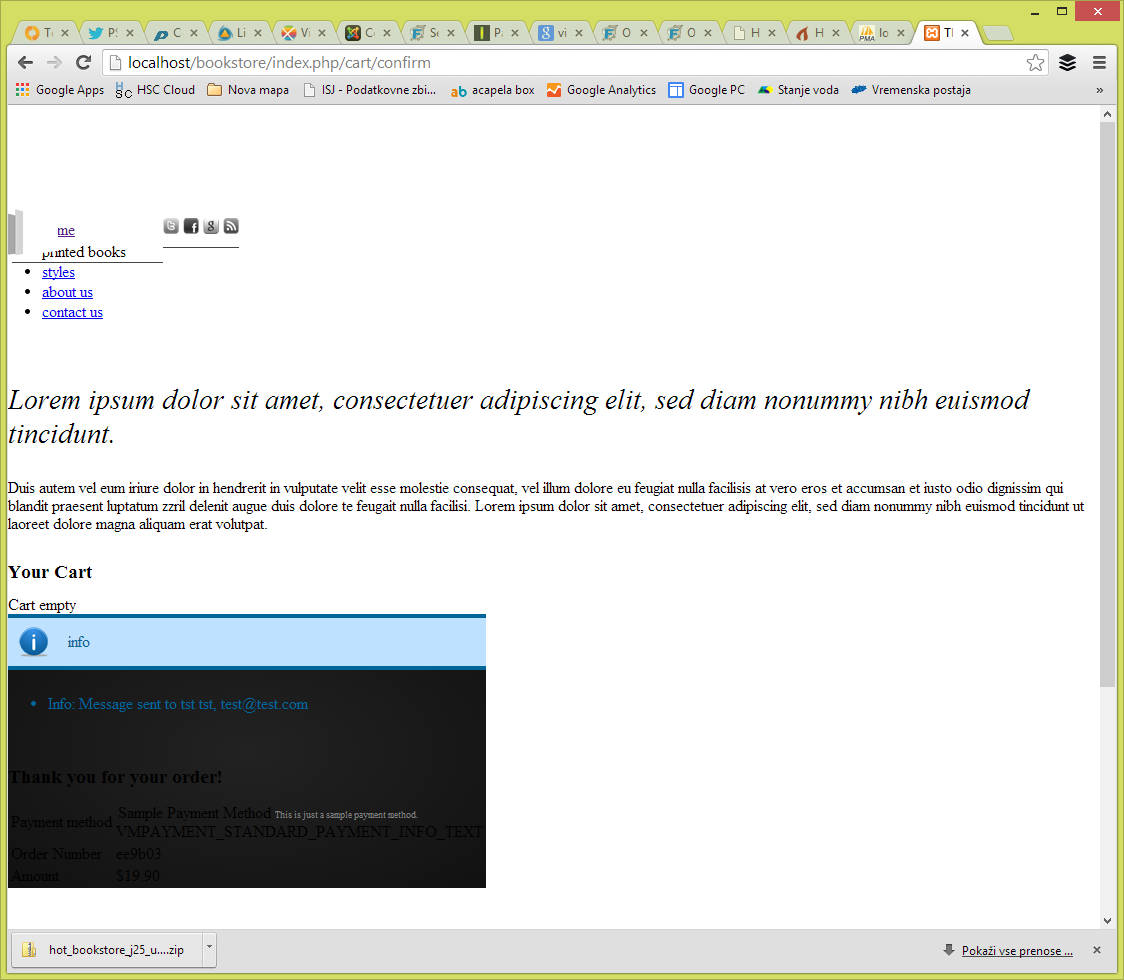
The same problem with your bookstore template which comes bundled with VM.
It is very easy to reproduce, I have tested on your demo system ... same result.
Please check.
BR,
Zeljko
The same problem with your bookstore template which comes bundled with VM.
It is very easy to reproduce, I have tested on your demo system ... same result.
Please check.
BR,
Zeljko
Please Log in to join the conversation.
-
ivan.milic
Support Staff - Offline
- Moderator
-
Less
More
- Posts: 14116
- Thank you received: 1639
12 years 8 months ago #33393
by ivan.milic
Replied by ivan.milic on topic Virtuemart Order Confirmation / broken layout
Enable error reporting in joomla global configuration and see if some error message displayes
Please Log in to join the conversation.
12 years 8 months ago #33400
by palfyz
Replied by palfyz on topic Virtuemart Order Confirmation / broken layout
With error reporting enabled no errors are shown, only strict standards info.
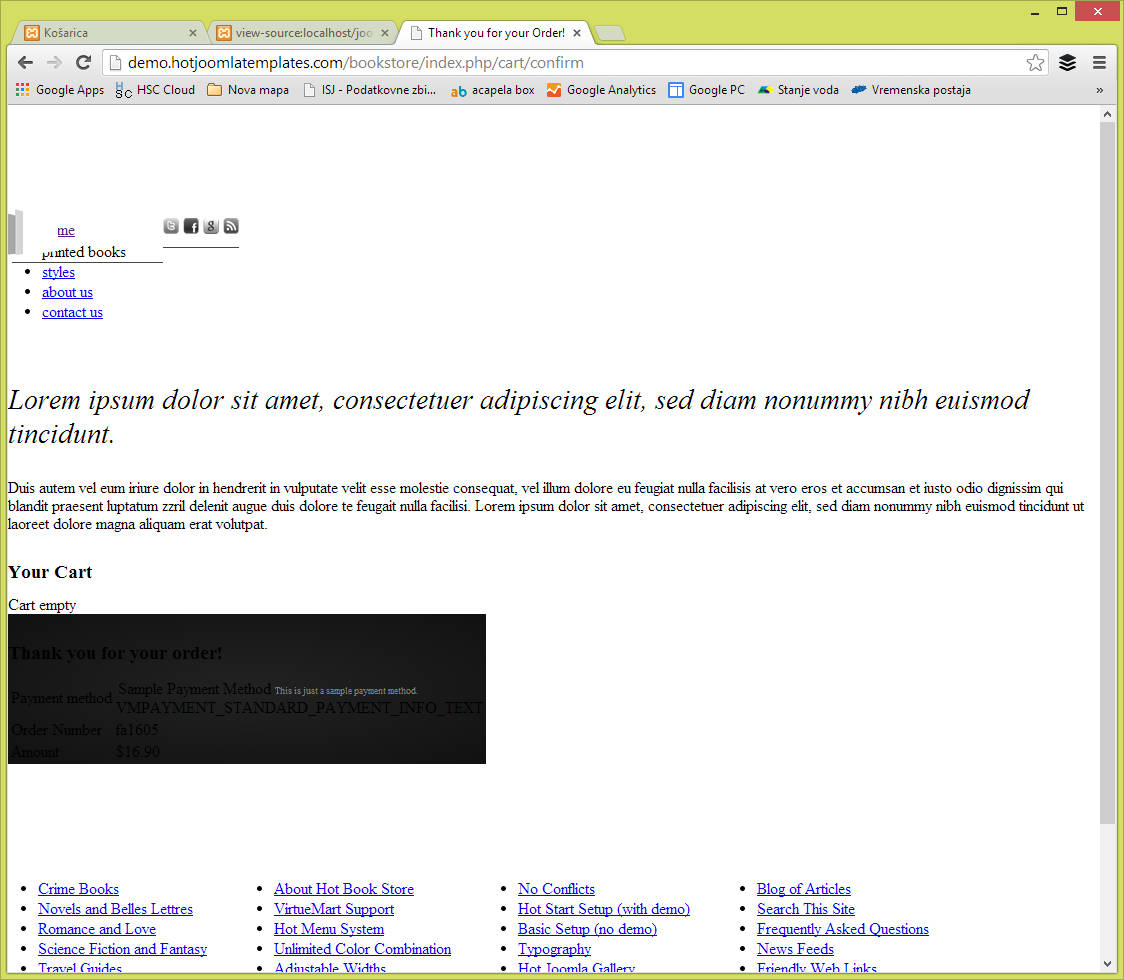
btw I have tested store checkout on your demo page demo.hotjoomlatemplates.com/bookstore
and got the same error
Steps to reproduce:
1. add product to cart
2. checkout as guest
br,
Zeljko
btw I have tested store checkout on your demo page demo.hotjoomlatemplates.com/bookstore
and got the same error
Steps to reproduce:
1. add product to cart
2. checkout as guest
br,
Zeljko
Please Log in to join the conversation.
12 years 5 months ago #36193
by tiesgr
Replied by tiesgr on topic Virtuemart Order Confirmation / broken layout
Try this worked for me :laugh: 
ivan.milic wrote: Open index.php of template , find this line:
<link rel="stylesheet" href="<?php echo $css_url; ?>" type="text/css" />
replace it with:
<style type="text/css">
<!--
<?php require(dirname(__FILE__). DIRECTORY_SEPARATOR .'/css/template_css.php'); ?>
-->
</style>
Please Log in to join the conversation.
Time to create page: 0.214 seconds