

- Posts: 2
- Thank you received: 0
Set width full
12 years 8 months ago #33136
by rubold
Set width full was created by rubold
Hi!
I would like to set the module, so it takes the 100% width of the area.
But in my case I rotate narrow but tall images and I would like to have 6 images close one to another.
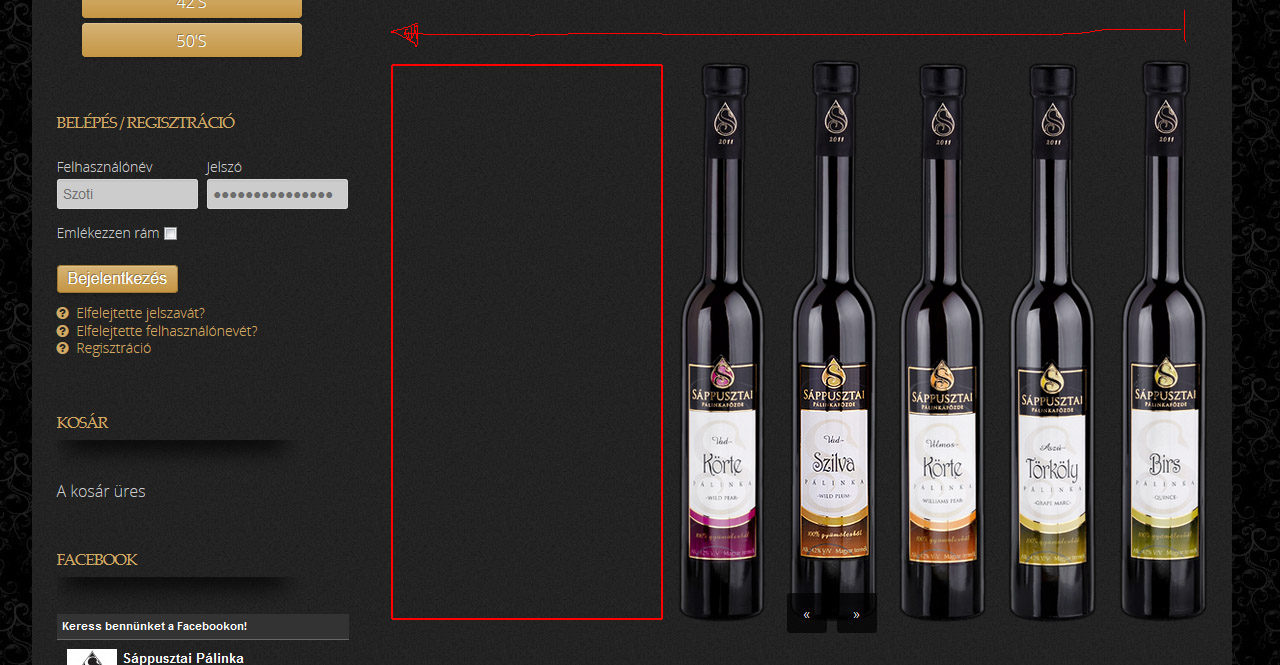
I tried to play with the image sizes and the module settings (Module Width, Height) but every time theres a big space on the lefz side.
How can I set the module so it takes the full width of the space?
Thanks in advance for your response.
I would like to set the module, so it takes the 100% width of the area.
But in my case I rotate narrow but tall images and I would like to have 6 images close one to another.
I tried to play with the image sizes and the module settings (Module Width, Height) but every time theres a big space on the lefz side.
How can I set the module so it takes the full width of the space?
Thanks in advance for your response.
Please Log in to join the conversation.
-
ivan.milic
Support Staff - Offline
- Moderator
-

Less
More
- Posts: 14116
- Thank you received: 1639
12 years 8 months ago #33140
by ivan.milic
Replied by ivan.milic on topic Set width full
Send link so we could check
Please Log in to join the conversation.
12 years 8 months ago #33151
by rubold
Replied by rubold on topic Set width full
Please Log in to join the conversation.
-
ivan.milic
Support Staff - Offline
- Moderator
-
Less
More
- Posts: 14116
- Thank you received: 1639
12 years 8 months ago - 12 years 8 months ago #33164
by ivan.milic
Replied by ivan.milic on topic Set width full
Put this in layout.css at bottom:
.hero-carousel-container{
margin-left:-380px!important;
}
.hero-carousel-container{
margin-left:-380px!important;
}
Last edit: 12 years 8 months ago by ivan.milic.
Please Log in to join the conversation.
Time to create page: 0.198 seconds