

- Posts: 27
- Thank you received: 0
Carousel view on iPhone - portrait
10 years 5 months ago #46076
by ted_hotj
Carousel view on iPhone - portrait was created by ted_hotj
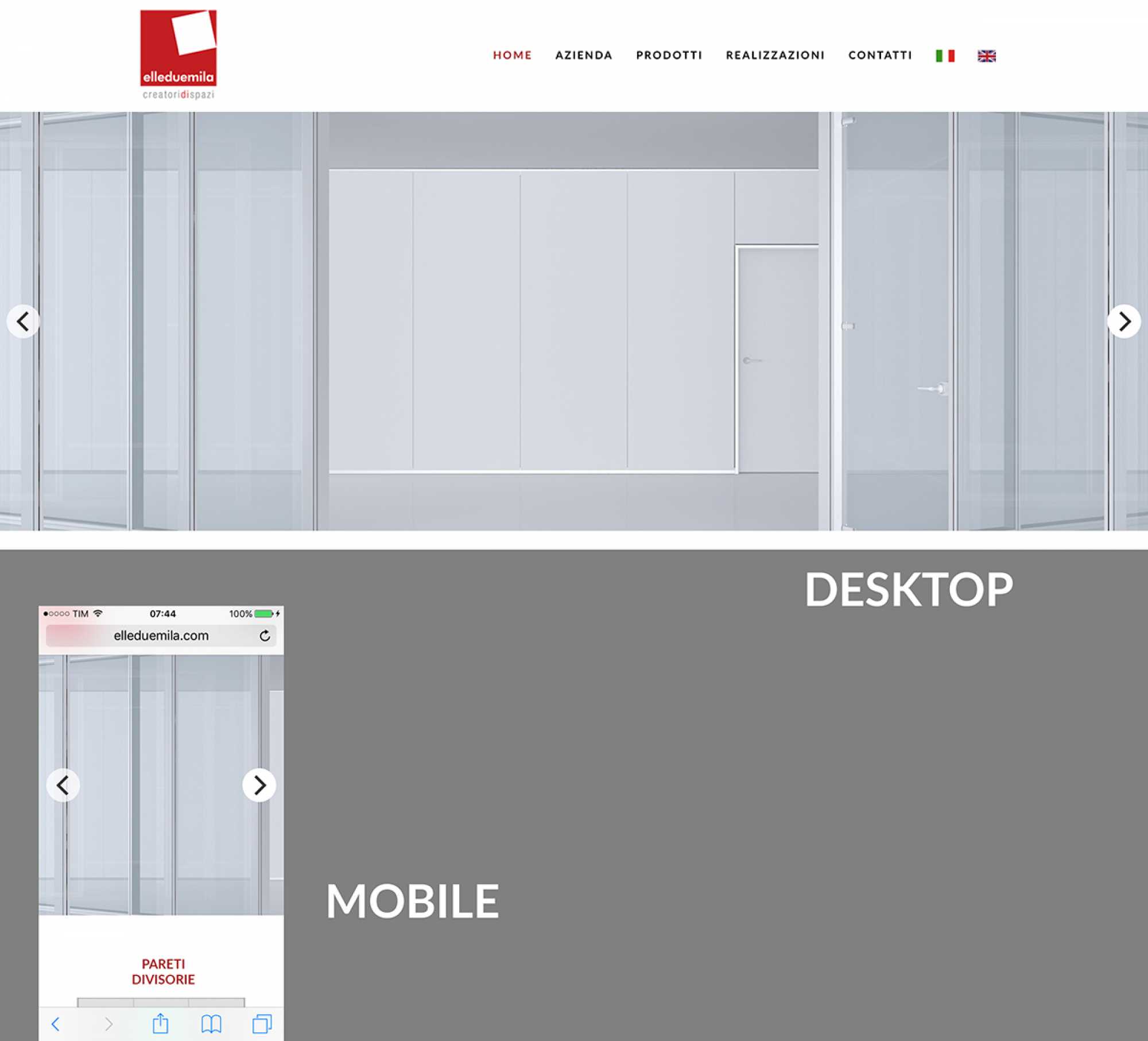
Hi, when i browse my website with an iPhone in portrait view, i can see only a small part of carousel's images.
Can I avoid it and can I have a real resize of the images?
Thank you.
DAM
Can I avoid it and can I have a real resize of the images?
Thank you.
DAM
Please Log in to join the conversation.


10 years 5 months ago #46077
by milos
Replied by milos on topic Carousel view on iPhone - portrait
Hello,
Which module you are using? Originally, startup template is using Hot Swipe Carousel. This module scales images proportionally as you can see on template demo.
Thanks
Which module you are using? Originally, startup template is using Hot Swipe Carousel. This module scales images proportionally as you can see on template demo.
Thanks
Please Log in to join the conversation.
10 years 5 months ago - 10 years 5 months ago #46078
by ted_hotj
Replied by ted_hotj on topic Carousel view on iPhone - portrait
I'm using Hot Swipe Carousel v.3.4.1

edit:
without any textual content; only images...
edit:
without any textual content; only images...
Last edit: 10 years 5 months ago by ted_hotj. Reason: adding informations
Please Log in to join the conversation.
10 years 5 months ago #46079
by milos
Replied by milos on topic Carousel view on iPhone - portrait
This module scales the images proportionally, unless you did some changes in CSS code. What's your site link where carousel is published?
Thanks
Thanks
Please Log in to join the conversation.
10 years 5 months ago #46080
by ted_hotj
Replied by ted_hotj on topic Carousel view on iPhone - portrait
Please Log in to join the conversation.
10 years 5 months ago #46081
by milos
Replied by milos on topic Carousel view on iPhone - portrait
Please try this, edit file template_css.css and wherever you see this class:
.hot_swipe_carousel_slides1 img
under @media queries (bottom of the file), delete width and height properties for this class.
Regards
.hot_swipe_carousel_slides1 img
under @media queries (bottom of the file), delete width and height properties for this class.
Regards
Please Log in to join the conversation.
Time to create page: 0.170 seconds