

- Posts: 5
- Thank you received: 0
Socialmedia-Links - Change?
3 months 1 week ago - 3 months 1 week ago #52175
by office8
Socialmedia-Links - Change? was created by office8
Hi!
How can I change the social media links for Facebook, Instagram, X, etc.?
Or where can I add the YouTube icon?
Template - Hot-Theatre
Thanks!
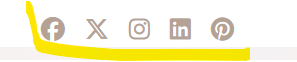
How can I change the social media links for Facebook, Instagram, X, etc.?
Or where can I add the YouTube icon?
Template - Hot-Theatre
Thanks!
Last edit: 3 months 1 week ago by office8.
Please Log in to join the conversation.


3 months 1 week ago #52176
by milos
Replied by milos on topic Socialmedia-Links - Change?
Hello,
The social icons are in module positions top1 and bottom1 in modules "Social Icons" and "Connect with Us". The original HTML code of these modules is:
It's recommended to disable the WYSIWYG editor in the global Joomla configuration before editing these modules because some editors can cut off the icon's code. In the code above, simply edit links, such as www.facebook.com/hotthemes and twitter.com/hot_themes , etc.
To add a social icon, for example, YouTube, add this after the last icon
Regards,
Milos
The social icons are in module positions top1 and bottom1 in modules "Social Icons" and "Connect with Us". The original HTML code of these modules is:
Code:
<a href="http://www.facebook.com/hotthemes"><i class="fa fa-facebook"></i></a><a href="http://twitter.com/hot_themes"><i class="fa fa-twitter"></i></a><a href="https://plus.google.com/b/101865138405372995937/"><i class="fa fa-google-plus"></i></a><a href="http://www.linkedin.com/company/hotthemes"><i class="fa fa-linkedin"></i></a><a href="http://pinterest.com/hotthemes"><i class="fa fa-pinterest"></i></a>
It's recommended to disable the WYSIWYG editor in the global Joomla configuration before editing these modules because some editors can cut off the icon's code. In the code above, simply edit links, such as www.facebook.com/hotthemes and twitter.com/hot_themes , etc.
To add a social icon, for example, YouTube, add this after the last icon
Code:
<a href="https://www.youtube.com"><i class="fa fa-youtube" aria-hidden="true"></i></a>
Regards,
Milos
Please Log in to join the conversation.
3 months 1 week ago - 3 months 1 week ago #52180
by office8
Replied by office8 on topic Socialmedia-Links - Change?
Thanks for the quick reply.
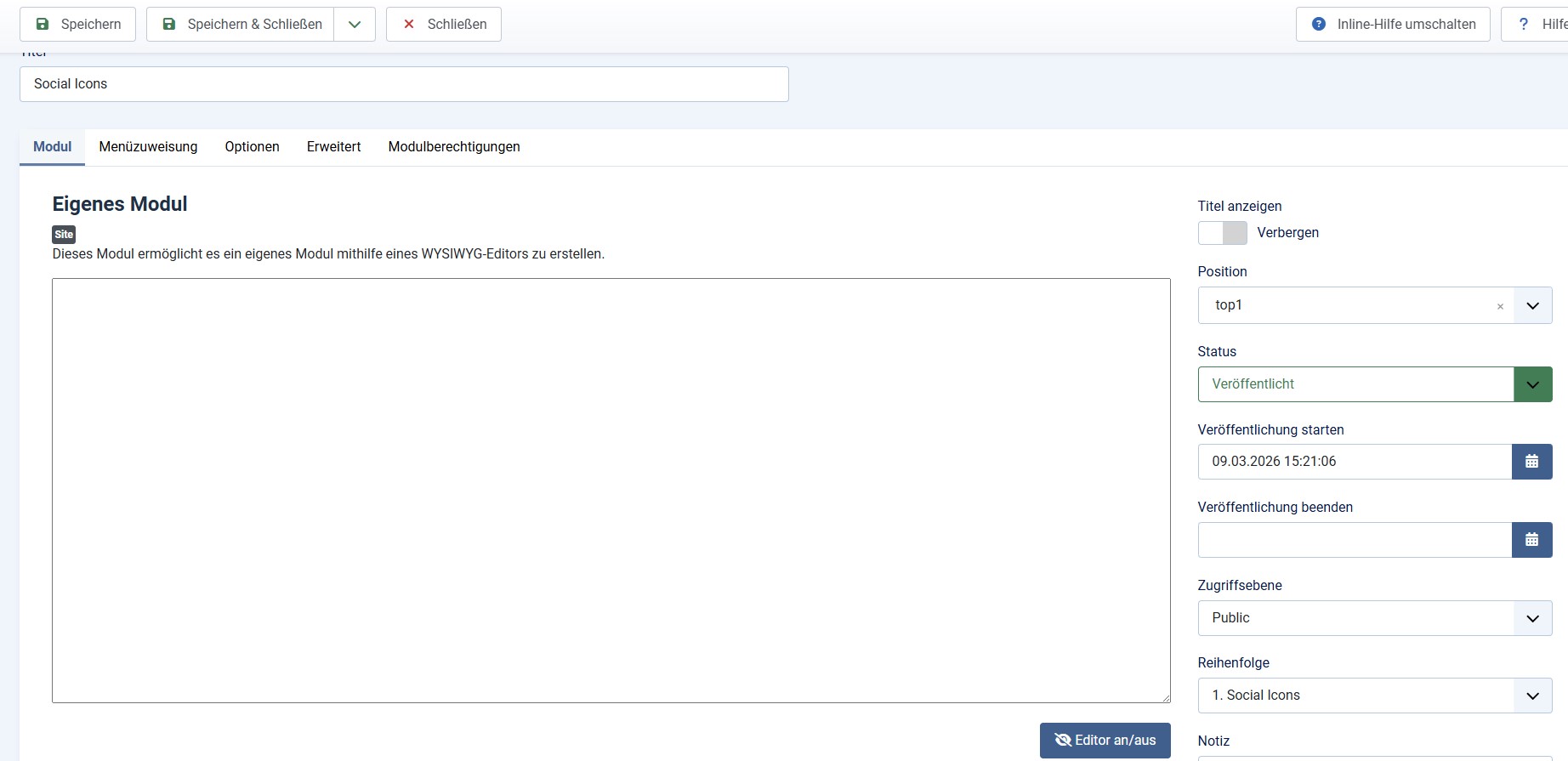
Unfortunately, it's not working for me. I don't see any code in the module.
When I insert the new HTML code, nothing happens.
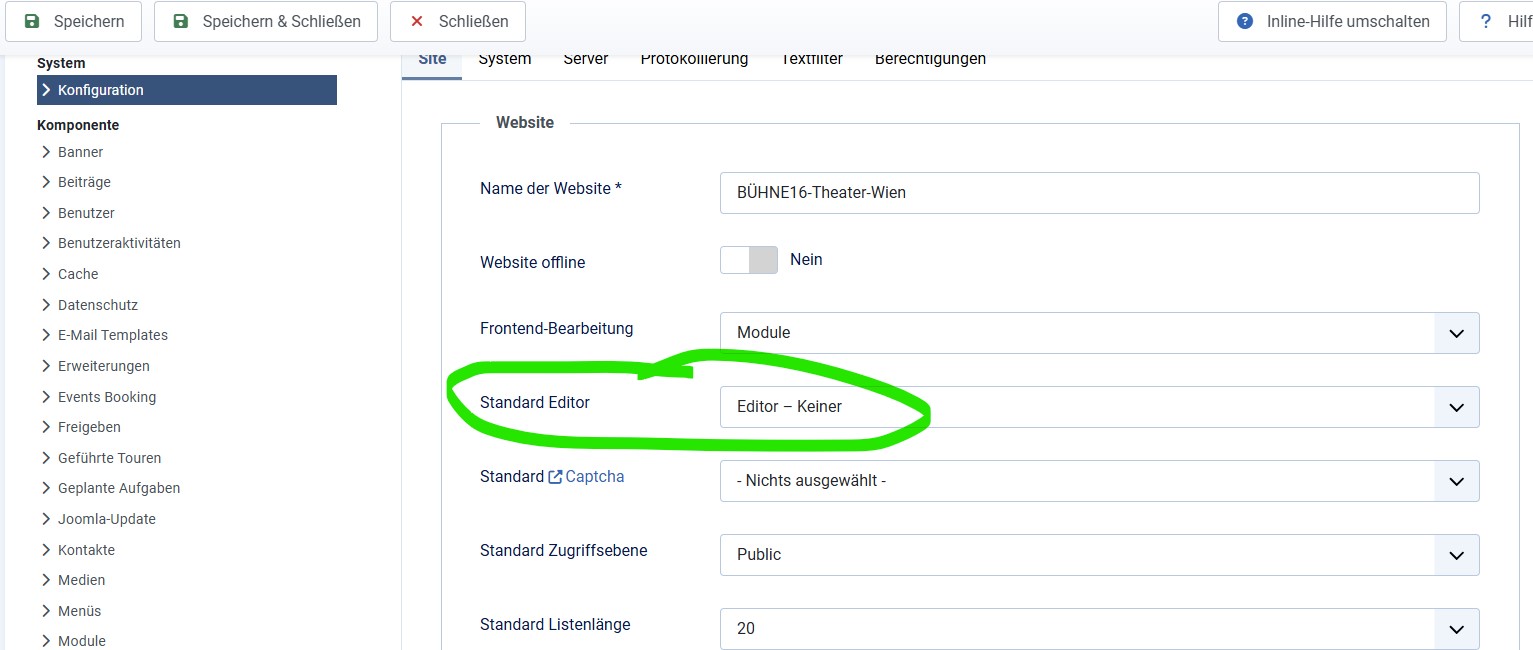
I've disabled the editor – see screenshot.
If I only display the name in the module and then reactivate it, the social media icons have disappeared.
If I only display the name in the module and then reactivate it, the social media icons disappear.
If I copy the Social Icon module, I don't get any additional icons.
Thanks
Unfortunately, it's not working for me. I don't see any code in the module.
When I insert the new HTML code, nothing happens.
I've disabled the editor – see screenshot.
If I only display the name in the module and then reactivate it, the social media icons have disappeared.
If I only display the name in the module and then reactivate it, the social media icons disappear.
If I copy the Social Icon module, I don't get any additional icons.
Thanks

Last edit: 3 months 1 week ago by office8.
Please Log in to join the conversation.
3 months 1 week ago #52181
by milos
Replied by milos on topic Socialmedia-Links - Change?
Hello,
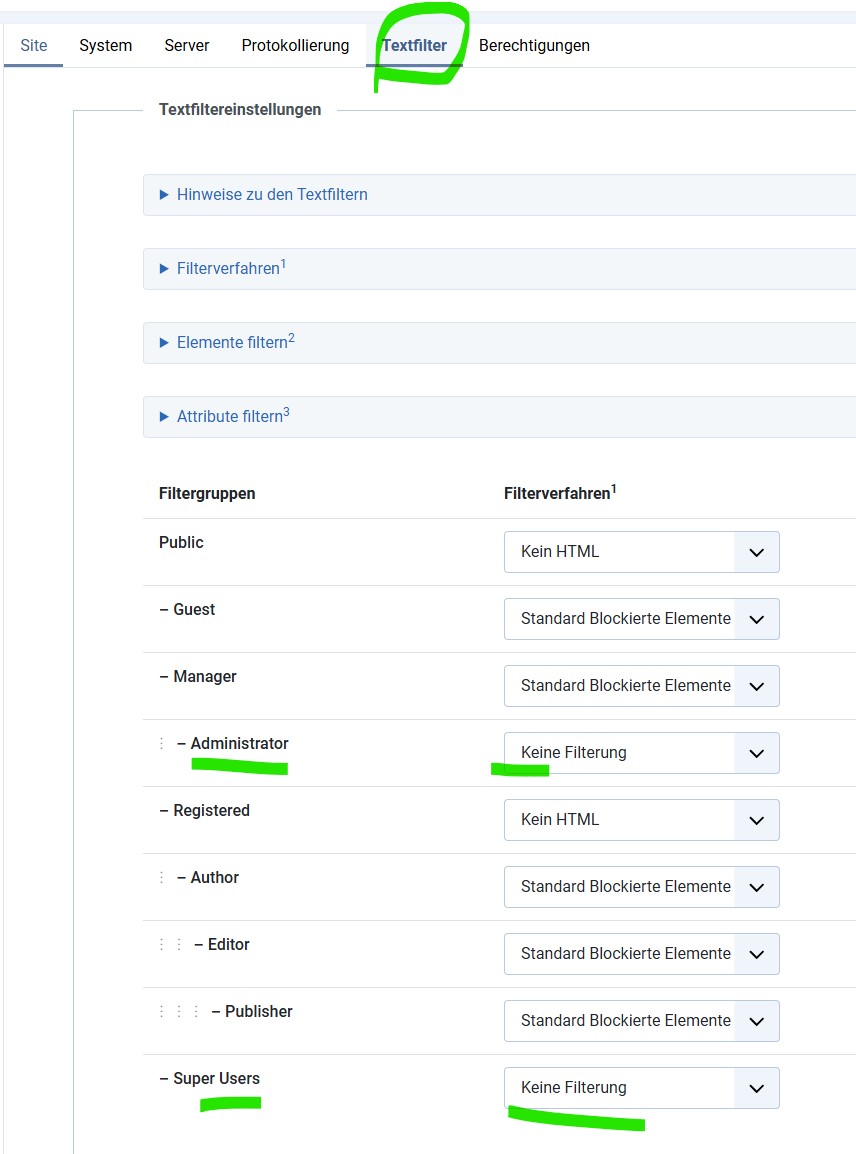
You probably enabled text filtering, and that's why the HTML you are trying to enter disappears. Go to System > Global Configuration > Text Filters. At the bottom, you will see all Joomla user groups. Let's assume you are working as a Super User. Then, for the Super Users, select "No Filtering" and save the configuration. Try to enter the code again in the module.
If you are working as a Publisher or other user group, select "No Filtering" for this user group.
Regards,
Milos
You probably enabled text filtering, and that's why the HTML you are trying to enter disappears. Go to System > Global Configuration > Text Filters. At the bottom, you will see all Joomla user groups. Let's assume you are working as a Super User. Then, for the Super Users, select "No Filtering" and save the configuration. Try to enter the code again in the module.
If you are working as a Publisher or other user group, select "No Filtering" for this user group.
Regards,
Milos
Please Log in to join the conversation.
3 months 1 week ago #52182
by office8
Replied by office8 on topic Socialmedia-Links - Change?
Hello!
Yes, the setting was already like that – correct.
I'm a Super Admin, but the Connect and Social modules are empty Could I create a Super Admin account for you? Feel free to check the backend.
Best regards, Günter Kleisch
Yes, the setting was already like that – correct.
I'm a Super Admin, but the Connect and Social modules are empty
Could I create a Super Admin account for you? Feel free to check the backend.Best regards, Günter Kleisch
Please Log in to join the conversation.
3 months 1 week ago #52183
by milos
Replied by milos on topic Socialmedia-Links - Change?
Hello,
Please provide superuser access to your site.
You can post this on the forum privately if you select a part of the text and click the "lock" (confidential) icon.
Thanks,
Milos
Please provide superuser access to your site.
You can post this on the forum privately if you select a part of the text and click the "lock" (confidential) icon.
Thanks,
Milos
Please Log in to join the conversation.
Time to create page: 0.229 seconds