
News & Tips
- Details
- Written by: Milos Stankovic
Step by step instructions how to pay for single product or membership on our website with your PayPal account.
- Details
- Written by: Milos Stankovic
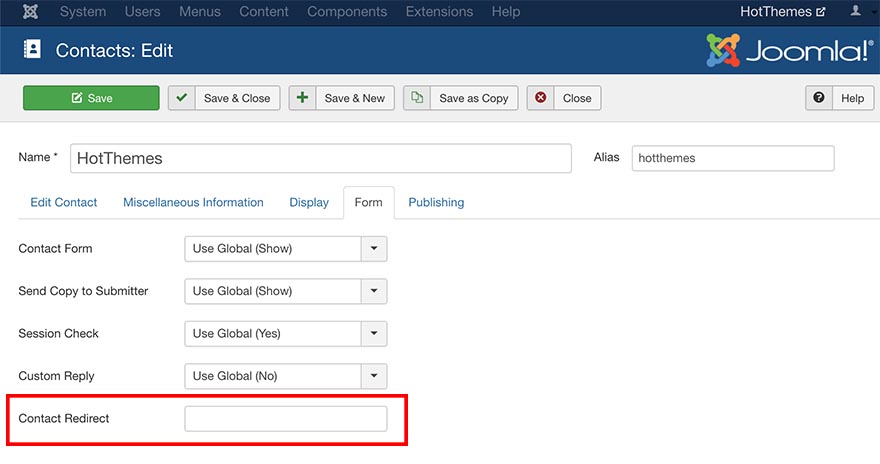
After successful submission of the Contact form, by default, Joomla displays an information message "Thank you for contacting us" or similar, depending of your language preferences. From my experience, many clients prefer separate "Thank you" page, after the contact form is submitted. On that page, they usually put informational text, like when clients may expect answers or Google Maps code with physical company location.
Blog Categories
Recent Posts
- How to Build a Consistent Visual Style Across Social Platforms
- Effects Rotator and Counters Modules Updated
- Why You Shouldn't Just Translate Your Current Website When Expanding
- Key Considerations When Choosing Technology Services
- The Sparky Framework 6: Template Framework for Modern Joomla Sites
- Sparky Page Builder v1.4 Released with New Features
- Proof of Work Captcha Added to Joomla 6.1
- Enabling the Backward Compatibility Plugin on a Broken Joomla Website
- How to Upgrade from Joomla 5 to Joomla 6
- What's New in Joomla 6.0