


- Posts: 88
- Thank you received: 0
Flashes - Joomla 3.1 template
12 years 11 months ago #30365
by Houssam
Replied by Houssam on topic Flashes - Joomla 3.1 template
sorry but am new for this and when i open SQL" icon there is new page opened with a lot of files but i didn't find any file under name Joomla or #_menu
can u give me this step by step how to open and change with details please if you don't mind
i need to change a language and update to 3.1
Thanks a lot
can u give me this step by step how to open and change with details please if you don't mind
i need to change a language and update to 3.1
Thanks a lot
Please Log in to join the conversation.
-
ivan.milic
Support Staff - Offline
- Moderator
-

Less
More
- Posts: 14116
- Thank you received: 1639
12 years 11 months ago #30369
by ivan.milic
Replied by ivan.milic on topic Flashes - Joomla 3.1 template
So in cpanel file manager , you have phpMyAdmin icon under databases section, click on it. When you enter phpMyAdmin select database and send snapshot for next steps.
Please Log in to join the conversation.
12 years 11 months ago #30371
by Houssam
Replied by Houssam on topic Flashes - Joomla 3.1 template
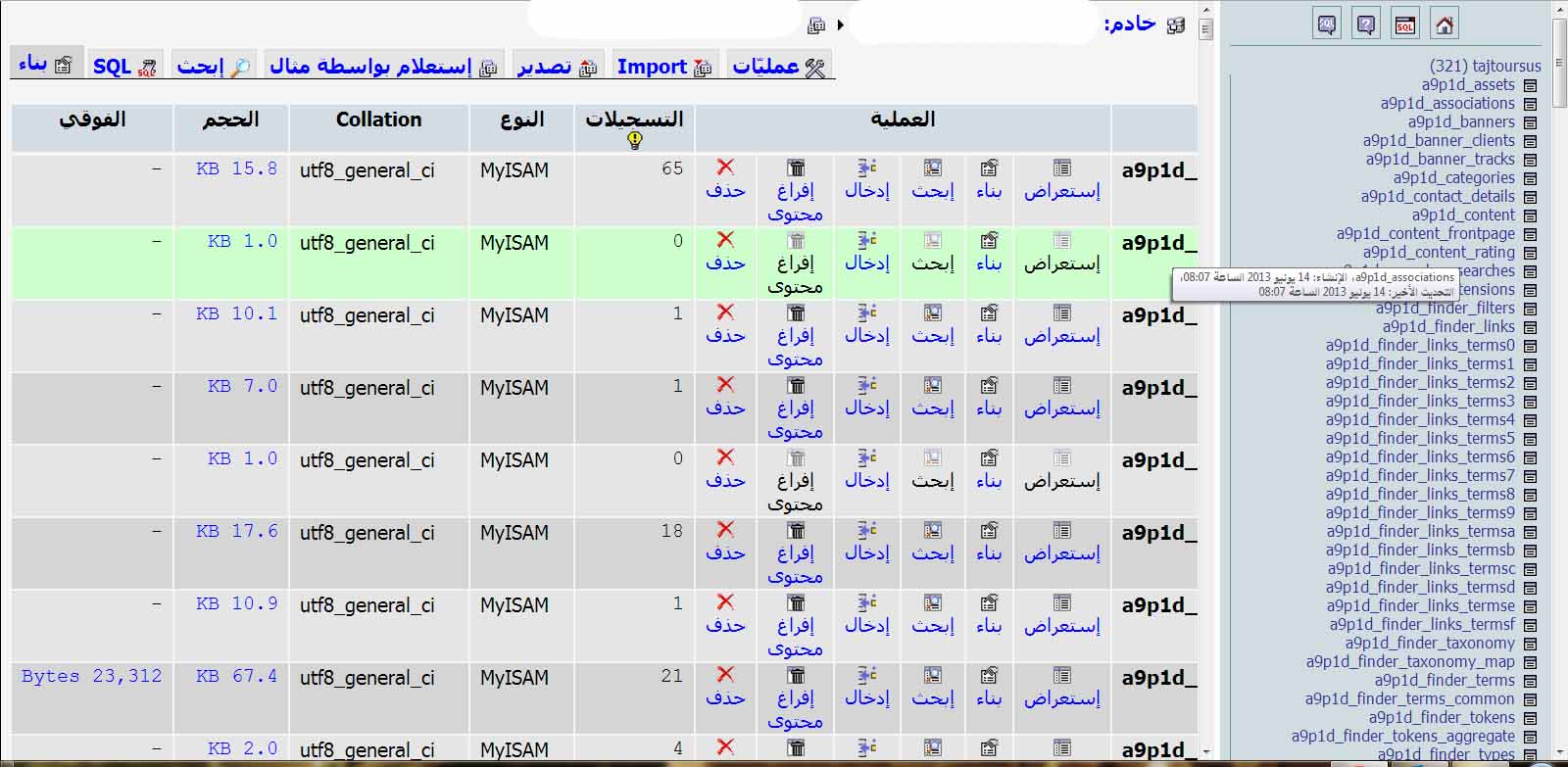
check attach file
but there is arabic words i don't know if u will understand it all
but there is arabic words i don't know if u will understand it all
Please Log in to join the conversation.
-
ivan.milic
Support Staff - Offline
- Moderator
-
Less
More
- Posts: 14116
- Thank you received: 1639
12 years 11 months ago #30375
by ivan.milic
Replied by ivan.milic on topic Flashes - Joomla 3.1 template
You see SQL option , up-left on picture, click on it. Then enter this exact code:
click "GO". refresh joomla admin and check if option appeared in menu. If not then click again on SQL option and enter this code:
click "GO"
Code:
UPDATE a9p1d_menu
SET component_id =
(SELECT extension_id FROM a9p1d_extensions WHERE name = "com_joomlaupdate")
WHERE title = "com_joomlaupdate"
click "GO". refresh joomla admin and check if option appeared in menu. If not then click again on SQL option and enter this code:
Code:
INSERT INTO `a9p1d_menu` (`id`, `menutype`, `title`, `alias`, `note`, `path`, `link`, `type`, `published`,
`parent_id`, `level`, `component_id`, `ordering`, `checked_out`, `checked_out_time`, `browserNav`,
`access`, `img`, `template_style_id`, `params`, `lft`, `rgt`, `home`, `language`, `client_id`)
VALUES (22, 'menu', 'com_joomlaupdate', 'Joomla! Update', '', 'Joomla! Update',
'index.php?option=com_joomlaupdate', 'component', 0, 1, 1, 28, 0, 0,
'0000-00-00 00:00:00', 0, 0, 'class:joomlaupdate', 0, '', 41, 42, 0, '*', 1);
click "GO"
Please Log in to join the conversation.
Time to create page: 0.092 seconds