
- Posts: 94
- Thank you received: 0
RESOLVED: Menu Item Alias & Main Menu Submenus
-
scottshort
Inactive member -
 Topic Author
- Offline
- Member
-

Less
More
13 years 11 months ago #19537
by scottshort
Replied by scottshort on topic Re: Menu Item Alias & Main Menu Submenus
Hi Ivan,
I followed your instructions from previous post.
When I set Main Menu Module option "show submenu items" to yes; I can see all submenus from all menus all of the time.... I do not want this.
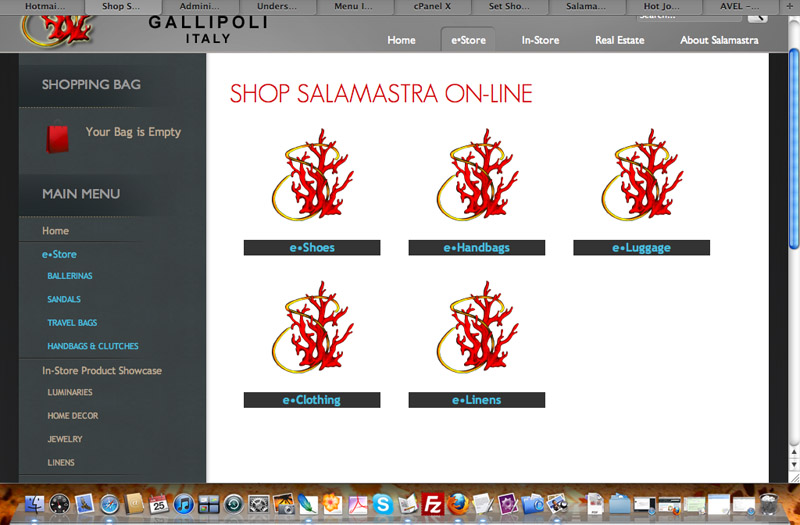
I added your code to template_css.css [is this correct file?] as you requested.
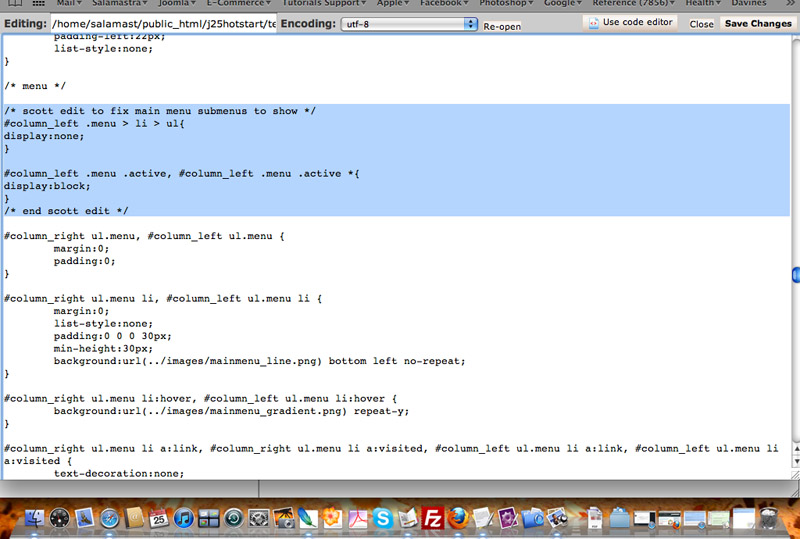
Result is no change from above: I can see all submenus from all first level menu items all the time.
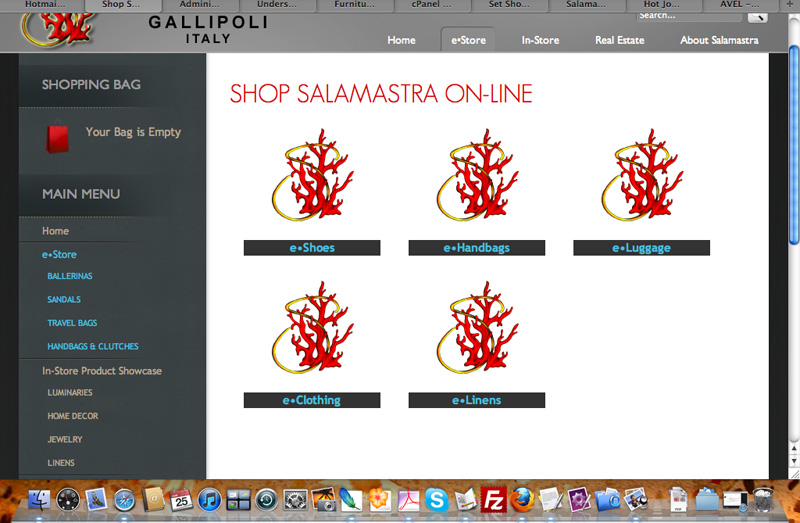
Sorry for my confusion on last post. What I was trying to say is that "by default" what I meant was same as your HotStart settings like HotFurniture Demo [I installed hotstart]. On demo main menu, you see link "Virture Mart" without submenus. When you click on it, then you can see the submenus.
thanks again
Scott
I followed your instructions from previous post.
When I set Main Menu Module option "show submenu items" to yes; I can see all submenus from all menus all of the time.... I do not want this.
I added your code to template_css.css [is this correct file?] as you requested.
Result is no change from above: I can see all submenus from all first level menu items all the time.
Sorry for my confusion on last post. What I was trying to say is that "by default" what I meant was same as your HotStart settings like HotFurniture Demo [I installed hotstart]. On demo main menu, you see link "Virture Mart" without submenus. When you click on it, then you can see the submenus.
thanks again
Scott
Please Log in to join the conversation.
-
ivan.milic
Support Staff - Offline
- Moderator
-

Less
More
- Posts: 14116
- Thank you received: 1639
13 years 11 months ago #19544
by ivan.milic
Replied by ivan.milic on topic Re: Menu Item Alias & Main Menu Submenus
Try this:
#column_left .menu > li > ul{
display:none;
}
#column_left .menu .active, #column_left .menu .active *{
display:block;
color: #B7A68F!important;
}
#column_left LI.active a{
color:#49BDDE !important;
}
maybe you will need to move it to bottom of that css file.
#column_left .menu > li > ul{
display:none;
}
#column_left .menu .active, #column_left .menu .active *{
display:block;
color: #B7A68F!important;
}
#column_left LI.active a{
color:#49BDDE !important;
}
maybe you will need to move it to bottom of that css file.
Please Log in to join the conversation.
-
scottshort
Inactive member -
Topic Author
- Offline
- Member
-
Less
More
- Posts: 94
- Thank you received: 0
13 years 11 months ago - 13 years 11 months ago #19576
by scottshort
Replied by scottshort on topic Re: Menu Item Alias & Main Menu Submenus
Hi Ivan
Here are first and second lines of code you suggested together at bottom of template_css.css:
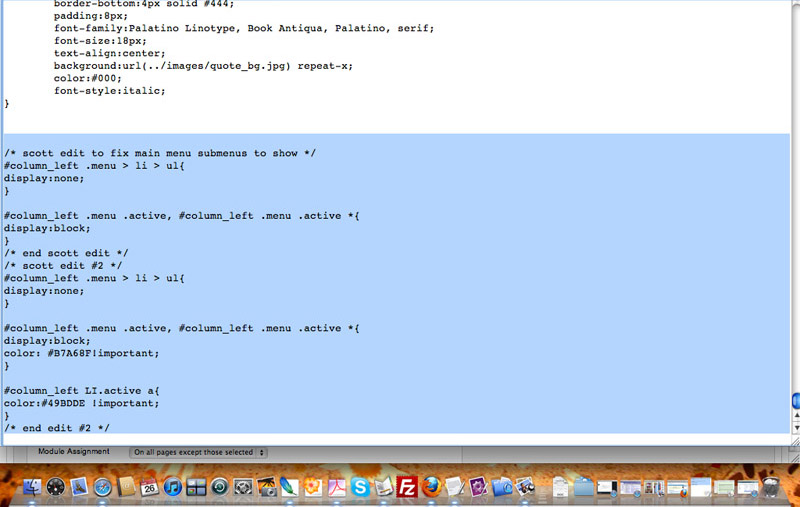
and here is just second line of code:
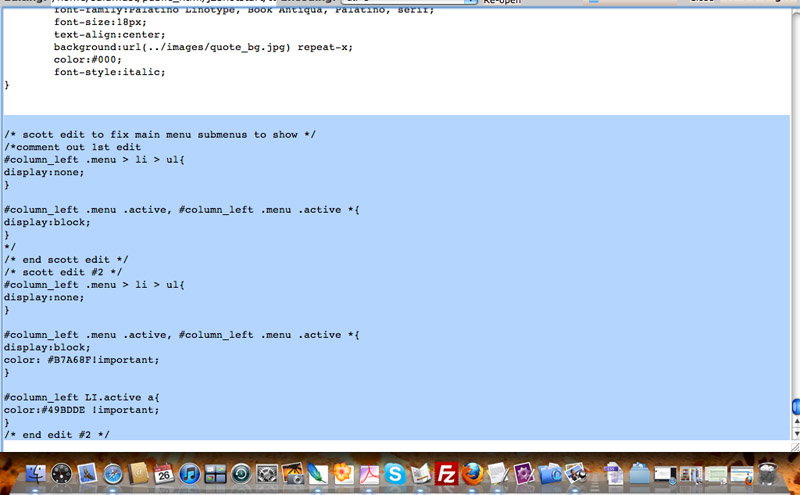
For both I have same result - if "show submenus" is set to yes, I now see all submenus all the time instead of only active menu link [clicked on] like on demo page.
Any other ideas?
thanks
scott
ps: Are we allowed to view admin side of demo site? I would like to change main menu type to "menu-item-alias" to see if the same problem occurs...
Here are first and second lines of code you suggested together at bottom of template_css.css:
and here is just second line of code:
For both I have same result - if "show submenus" is set to yes, I now see all submenus all the time instead of only active menu link [clicked on] like on demo page.
Any other ideas?
thanks
scott
ps: Are we allowed to view admin side of demo site? I would like to change main menu type to "menu-item-alias" to see if the same problem occurs...
Last edit: 13 years 11 months ago by scottshort. Reason: added question
Please Log in to join the conversation.
-
ivan.milic
Support Staff - Offline
- Moderator
-
Less
More
- Posts: 14116
- Thank you received: 1639
13 years 11 months ago #19583
by ivan.milic
Replied by ivan.milic on topic Re: Menu Item Alias & Main Menu Submenus
ok, when you click eStore you don't want to change color of child elements just eStore
#column_left .menu > li > ul{
display:none;
}
#column_left .menu .active, #column_left .menu .active *{
display:block;
}
#column_left .menu .active a{
color: #B7A68F!important;
}
#column_left LI.active a{
color:#49BDDE !important;
}
return alias
#column_left .menu > li > ul{
display:none;
}
#column_left .menu .active, #column_left .menu .active *{
display:block;
}
#column_left .menu .active a{
color: #B7A68F!important;
}
#column_left LI.active a{
color:#49BDDE !important;
}
return alias
Please Log in to join the conversation.
-
scottshort
Inactive member -
Topic Author
- Offline
- Member
-
Less
More
- Posts: 94
- Thank you received: 0
13 years 11 months ago #19596
by scottshort
Replied by scottshort on topic Re: Menu Item Alias & Main Menu Submenus
Hi Ivan,
I removed the first two lines of code you gave me and tried this third suggestion. It had no effect. I am supposed to be adding this code to template_css.css, right? Strange that all three sets of code had no affect.
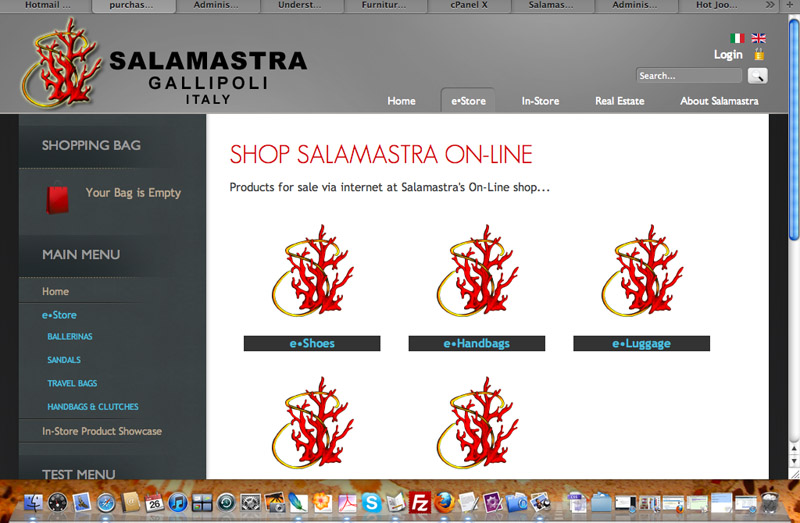
Good news, I had an idea and it worked. Problem solved. Here is what I did:
I didn't have experience with the menu-item-alias type until I started with the Hot Furniture Hotstart demo and since you used the Homepage Left Menu link as the source, I just continued upon that and used it as source for Main Menu as well. There must be some problem with Main Menu and Menu-item-alias type, so for now I will always use Main Menu as source for alias when I need this type.
Thanks again for all of your suggestions
Regards
Scott
I removed the first two lines of code you gave me and tried this third suggestion. It had no effect. I am supposed to be adding this code to template_css.css, right? Strange that all three sets of code had no affect.
Good news, I had an idea and it worked. Problem solved. Here is what I did:
- I set menu type for Main Menu link to "category listing" instead of "menu-item-alias"
- I left top menu setting as "menu-item-alias" and changed source from Homepage Left to Main Menu link
- I also set Homepage Left link to "menu-item-alias" and selected Main Menu link as source.
I didn't have experience with the menu-item-alias type until I started with the Hot Furniture Hotstart demo and since you used the Homepage Left Menu link as the source, I just continued upon that and used it as source for Main Menu as well. There must be some problem with Main Menu and Menu-item-alias type, so for now I will always use Main Menu as source for alias when I need this type.
Thanks again for all of your suggestions
Regards
Scott
Please Log in to join the conversation.
-
ivan.milic
Support Staff - Offline
- Moderator
-
Less
More
- Posts: 14116
- Thank you received: 1639
13 years 11 months ago #19603
by ivan.milic
Replied by ivan.milic on topic Re: Menu Item Alias & Main Menu Submenus
my mistake I forgot >
#column_left .menu > li > ul{
display:none;
}
#column_left .menu .active, #column_left .menu .active *{
display:block;
}
#column_left .menu .active > a{
color: #B7A68F!important;
}
#column_left LI.active > a{
color:#49BDDE !important;
}
#column_left .menu > li > ul{
display:none;
}
#column_left .menu .active, #column_left .menu .active *{
display:block;
}
#column_left .menu .active > a{
color: #B7A68F!important;
}
#column_left LI.active > a{
color:#49BDDE !important;
}
Please Log in to join the conversation.
Time to create page: 0.131 seconds