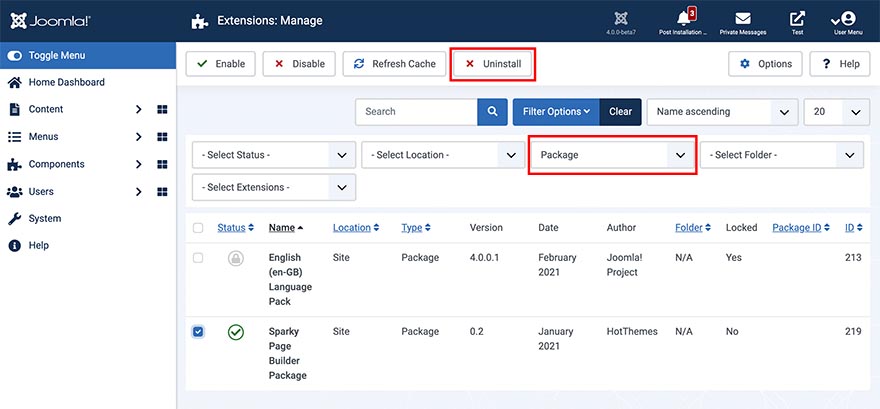
The Sparky Page Builder includes two Joomla plugins. They all are packed into a single Joomla package file. To uninstall the Sparky Page Builder completely, you should uninstall the package. This is how to do it.
- Login to your Joomla Administration panel.
- Go to Extensions > Manage > Manage (Joomla 3.x) or System > Manage > Extensions (Joomla 4.x).
- Click Filter Options and in Select Type drop-down select Package.
- Select Sparky Page Builder Package and click Uninstall button.