
HotThemes Blog
- Details
- Written by: Milos Stankovic
- Category: Joomla Installation
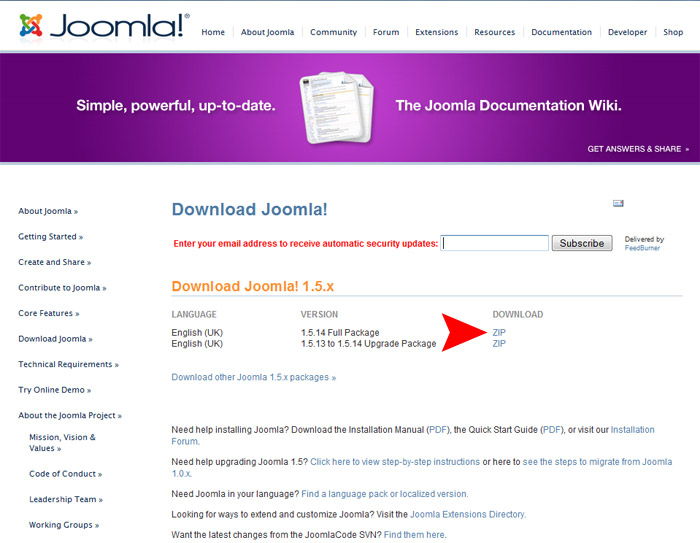
In the previous chapter, you have installed the Apache web server enabled with PHP and MySQL on your local computer. You don't need the web hosting account to test Joomla anymore. Now, you can install Joomla and run it locally. In this chapter, we will explain how to install Joomla, step by step.
- Details
- Written by: Milos Stankovic
- Category: Joomla Installation
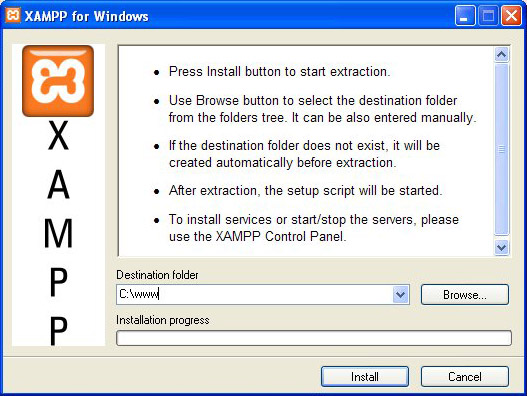
In the first chapter of our series of Joomla tutorials, we will cover the installation of a web server software on your local computer. To run Joomla, we need a web server enabled with PHP and MySQL database. Most of you have the PC computers with Windows XP or Vista. Therefore, with your operating system alone, you don't have what's necessary to run Joomla locally.
Blog Categories
Recent Posts
- How Outsourcing Can Help Digital Agencies Build a More Scalable Business
- Core Redirect Component for Joomla
- How to Build a Consistent Visual Style Across Social Platforms
- Effects Rotator and Counters Modules Updated
- Why You Shouldn't Just Translate Your Current Website When Expanding
- Key Considerations When Choosing Technology Services
- The Sparky Framework 6: Template Framework for Modern Joomla Sites
- Sparky Page Builder v1.4 Released with New Features
- Proof of Work Captcha Added to Joomla 6.1
- Enabling the Backward Compatibility Plugin on a Broken Joomla Website
We have 120+ templates in our collection. View all Joomla Templates
Join thousands of members who are using our products to make awesome Joomla site, blog or eCommerce. We have a big collection and publish new products regularly.
7 Days Money Back Guarantee, so all purchases are risk-free! Read terms
Sign Up Now