
All our templates are powered by the Sparky Framework. Now, the Sparky Framework 6 is here! This version introduces new features to the template framework and aligns with the development of the Joomla CMS. We did our best to optimize the framework's code and make it even cleaner and faster. We have replaced many functions that relied on 3rd party libraries with the Joomla 6 core alternatives or with custom code. This dramatically reduced the size of the framework's code by over 50%, and it will also improve your website's speed and responsiveness.
New Features
Added Undo/Redo Buttons to the Joomla Toolbar
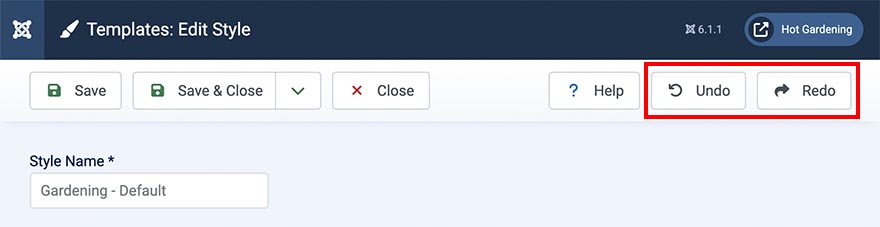
You can use the Undo/Redo buttons to cancel the changes you made recently to the template options, before the template options were saved. This includes all the changes in the page dimensions, layout (adding or deleting rows or modules), and changes in the row settings. Also, you can undo changes you made to the typography style and menu settings. If you undo any operation by mistake, you can use the redo button to make the same operation again.
This feature will help you a lot whenever you make any change to the template options by accident.
Remember open tab and subtab
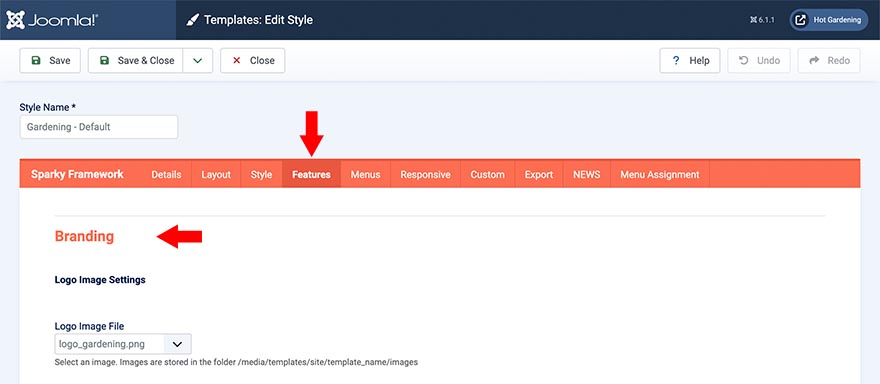
The template options panel now remembers which tab and subtab you opened last time. This information is saved as a cookie in your browser. When you go to the template options panel later, the tab and subtab that you opened last time will be automatically activated. If you are making changes to the same set of options multiple times to test how they work, this will save you some time.
Move of cells within empty row without left/right arrows
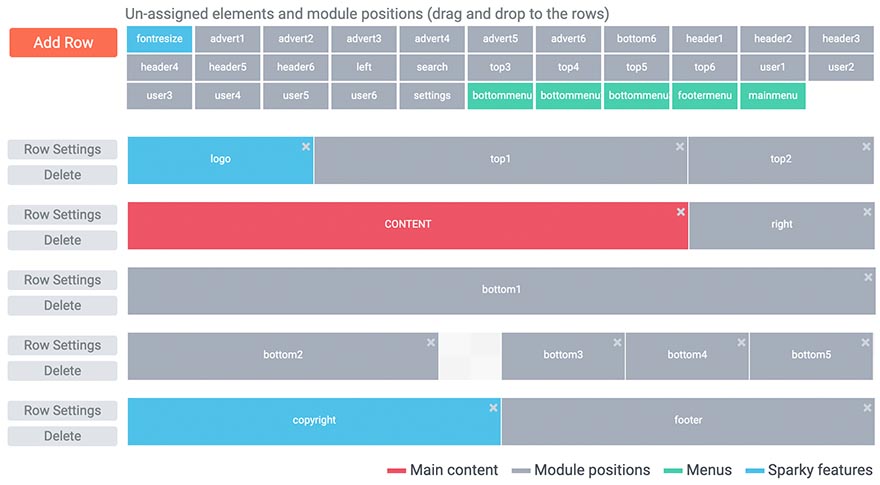
Although this change doesn't look like a major change, a significant amount of code had to be changed and optimized to make it work this way. The layout builder is now 100% drag and drop. You can move all the cells (module positions) left or right inside the rows by dragging and dropping them to the desired locations. Also, this change allows you to make some empty space between the cells inside a row more easily than before.
Optimization
The major changes in the Sparky Framework are under the hood. We wanted to change this template framework and make it aligned with the modern Joomla development standards. Therefore, you don't need Compatibility Plugins enabled for the Sparky Framework. It's developed for Joomla 6 natively, which ensures compatibility with new Joomla versions that are coming in the future.
The first version of this plugin was developed for Joomla 2.5 many years ago. To offer all the modern features to the framework, we had to rely on 3rd party's libraries. Now, with the Sparky Framework 6, we are happy to disconnect dependence on some of the libraries that were making the framework heavier and slower. Our framework now relies more on the core Joomla libraries and custom code.
jQuery UI Dependent Code is Refactored
jQuery UI has been removed. It was used for the drag-and-drop user interface of the layout builder and for tab management inside the template options page. Now, the entire code is redeveloped to be based on vanilla JavaScript while keeping the similar functionality and 100% compatibility with previous framework versions. This reduced the framework's code size and improved the performance.
mooTools Dependent Code is Refactored
mooTools library has been removed. It was a part of previous Joomla versions. We also relied on this library for some functions of the Sparky Framework. Now, all these functions are completely re-coded, and our template framework is no longer dependent on mooTools library. This reduced the framework's code size and improved the performance.
Now Uses Joomla Integrated Font Awesome Icon
Our template framework was loading the Font Awesome icon sets independently on Joomla. The newer Joomla versions integrated this icon library into the Joomla codebase. That made unnecessary duplicate loading of this icon library on some rare occasions. Now, we have completely removed the Font Awesome icons library from the Sparky Framework. Instead of loading the entire icon library files, the framework is loading Font Awesome integrated into Joomla. This also fixed compatibility issues with other extensions.
Use the New Framework by Downloading Any of Our Joomla Templates
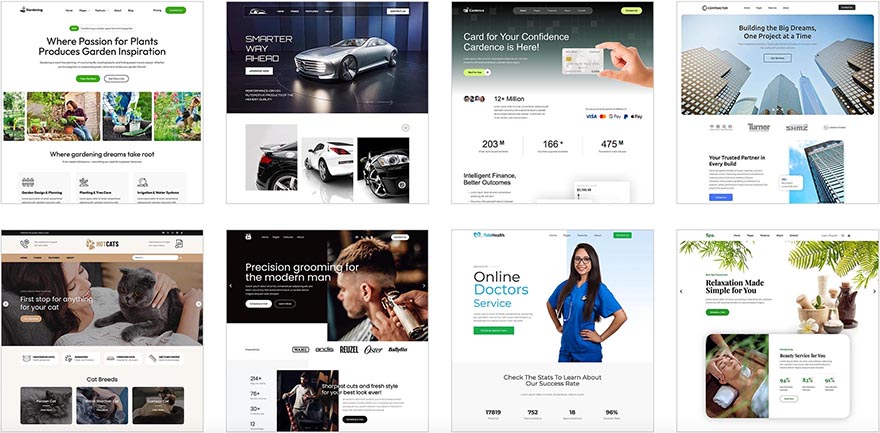
All our Joomla templates are based on the Sparky Framework. All the templates are created as child templates of the Sparky Framework's parent template. So, by downloading any template today (version Joomla 6 or later), you will download the Sparky Framework 6 as well. After the installation of any template, the Sparky Framework will be installed together with the template.
How To Upgrade From Previous Version
If you are starting a new website, it's strongly recommended to download the template again from our website. This will ensure that you are using the latest version of the framework, and you won't need to upgrade it later.
However, if you have an existing website with our template that's based on the Sparky Framework 5, you will have to upgrade the framework. Fortunately, this can be completed in a few easy steps. All your template settings will not be affected by the framework upgrade. However, it's a good practice to create a full website backup before upgrading.
- Make sure that your website is based on Joomla 6 (or later). The Sparky Framework 6 is not tested with previous Joomla versions. If you are using an older Joomla version, do not upgrade the framework before upgrading Joomla.
- Download the latest version of the Sparky Framework (sparky-framework-joomla-v6.0.0.zip) or download your template archive (it contains the framework inside) from our website. So, if you are using the template Hot Business, you should download the template file (hot_business6x.zip).
- Use FTP to download custom.js or custom.css files from the website to your computer (if you made changes to them before).
- Go to System > Install > Extensions > Upload Package File. Select file sparky-framework-joomla-v6.0.0.zip (if you have custom made website) or hot_TEMPLATE6x.zip (if you have a website based on our Joomla template, TEMPLATE indicates the actual template name).
- Once the framework or template is reinstalled, go to System > Site Template Settings. Click on your default style name to open the template options page. Click the "Save & Close" button once (you don't have to make any changes in the template options). The framework's CSS and JS files will be re-created while keeping all your template settings and other customizations intact.
- Use FTP to upload custom.js or custom.css files from your computer to the website (if you made changes to them before).