
We recently did a major upgrade of our two Joomla modules, the Hot Effects Rotator and the Hot Counters. Together with the release of the Hot Solar template, the latest versions of these two modules are released as well and are available for downloading. This post explains the important changes and gives some upgrade notices.
Basically, in both modules, there's just one, but very significant change. In the previous versions, the slides in the Effects Rotator and the counters in the Counters module were added from the dedicated tabs in the module settings page. Therefore, you have been limited to 20 slides or 10 counters. We refactored the code of both modules, so the module settings pages are now much cleaner and allow you to add an unlimited number of slides or counters.
The Hot Effects Rotator v4.2.0
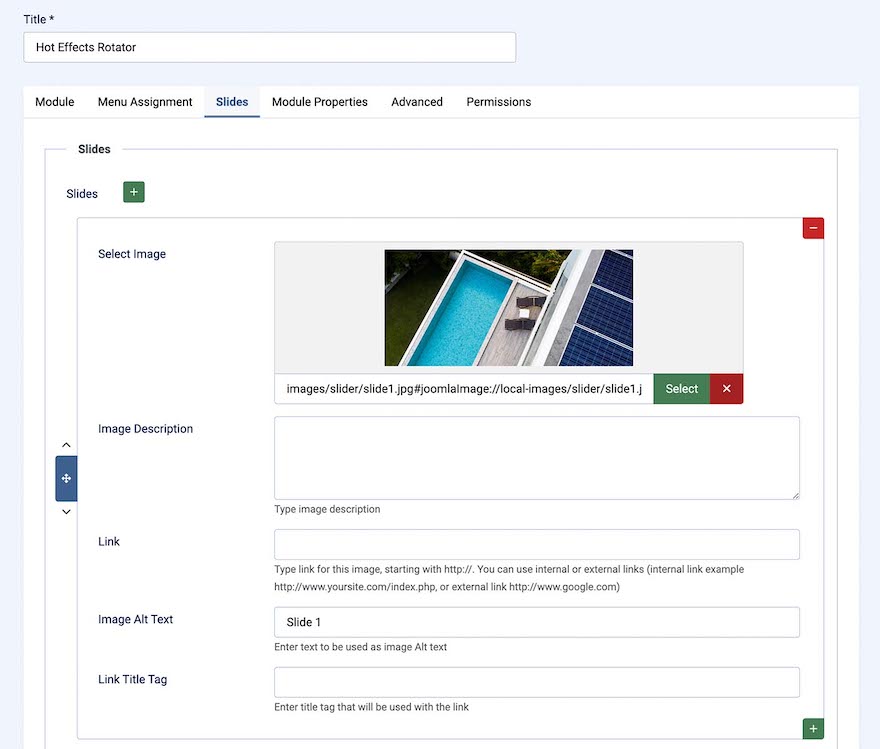
The module settings page of the Joomla Slideshow Extension - Hot Effects Rotator now contains a single "Slides" tab where you can add or remove an unlimited number of slides and reorder them easily using Joomla's native user interface.
Due to a major change in the slides management, after upgrading, you will need to add your slides again. So, before upgrading, please remember where your slide images are located and copy the slide text into a textual file. After upgrading, you will need to re-select all the slide images and paste the description text and links (if you have these). All other module settings will not be changed.
The Hot Effects Rotator module is included in these templates:
The Hot Counters v4.1.0
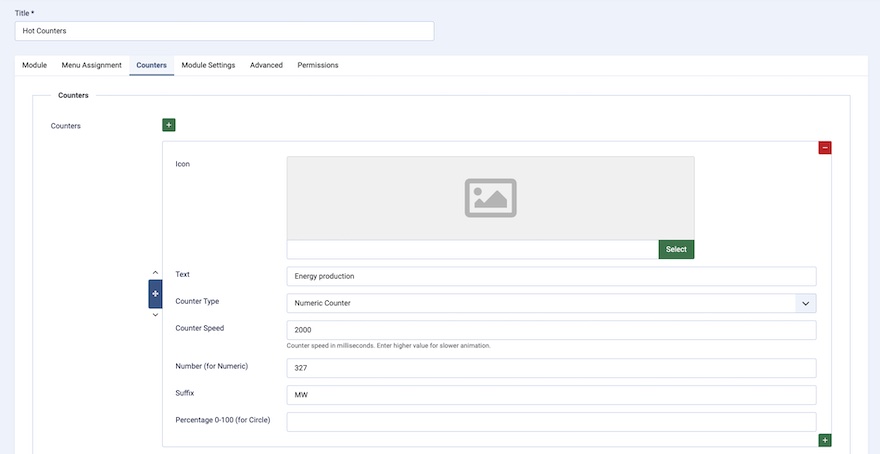
The module settings page of the Countdown Joomla Module - Hot Counters now contains a single "Counters" tab where you can add or remove an unlimited number of counters and reorder them easily using Joomla's native user interface.
Due to a major change in the counters management, after upgrading, you will need to add your counters again. So, before upgrading, please remember where your counters icons are located (if you are using them) and copy the counters text into a textual file. After upgrading, you will need to re-select all the counter icons and paste the counter text and numbers. All other module settings will not be changed.
The Hot Counters module is included in these templates:
- Ballet
- Barber
- Cardence
- Contractor
- Fishing
- Galatea
- Insurance
- Luxury
- Multiplex
- Natura
- Paradise
- Plumber
- Print Shop
- Snowflake
- Solar
- Spa
- Startup
- Telehealth
- Ventures
- Veterinarian
- Vineyard
Download New Modules
You can download new versions of the Hot Effects Rotator and Hot Counters modules if you have an active Joomla template club subscription. Also, if you purchased any of the Joomla templates listed above, you can re-download the template package, and you will find the updated modules inside.